P2P Vendor Flow
Once a user reaches your vendor minimum tier, they see the Post Deal tab in the P2P section of the exchange.
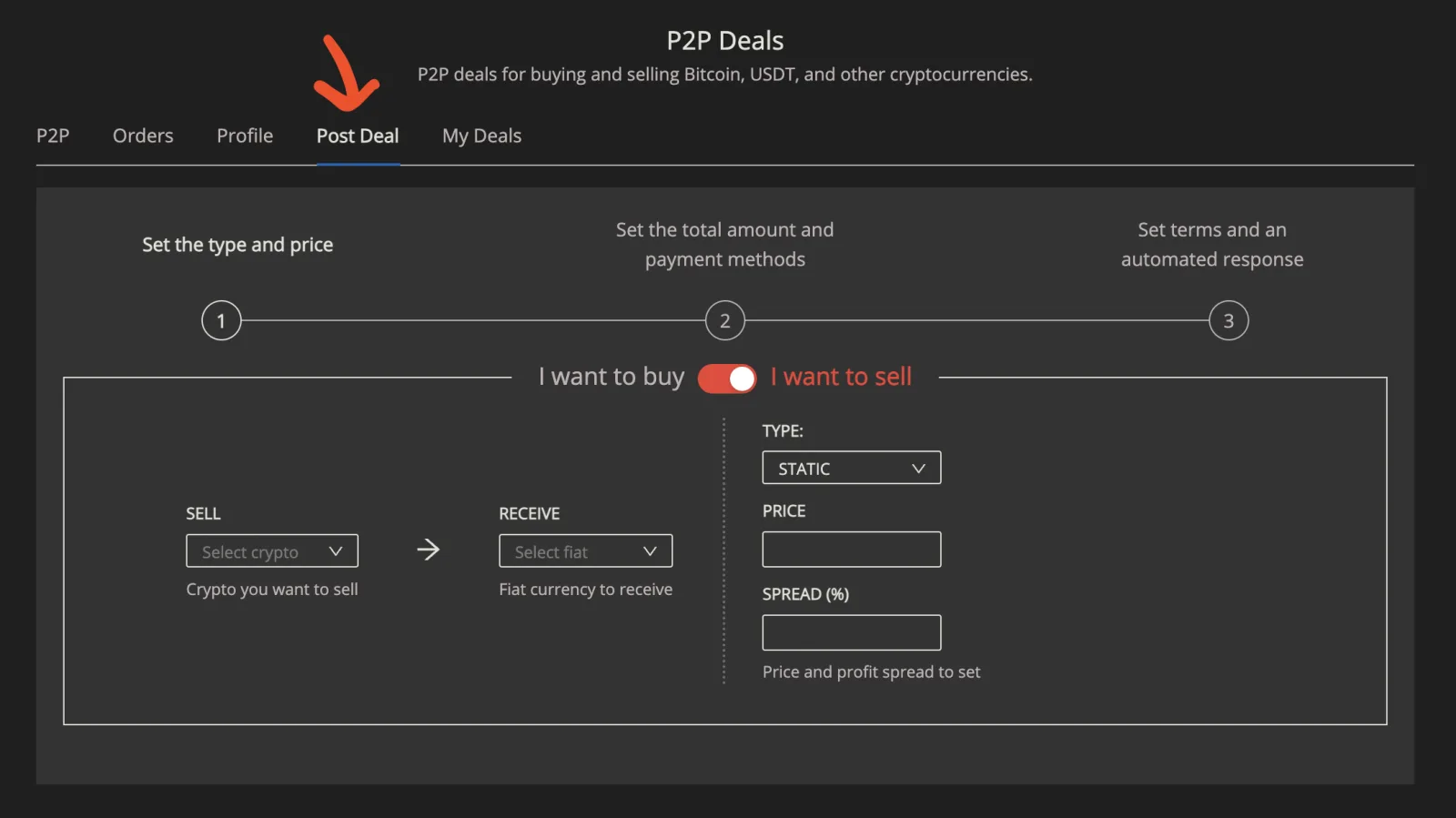
Creating a deal
Creating a deal takes three steps.
1. Set the type and price
First, the vendor chooses whether they want to buy crypto (receive crypto from other users in return for fiat) or sell it (the reverse), with the toggle at the top. Then they choose the crypto and the fiat for the deal, and set:
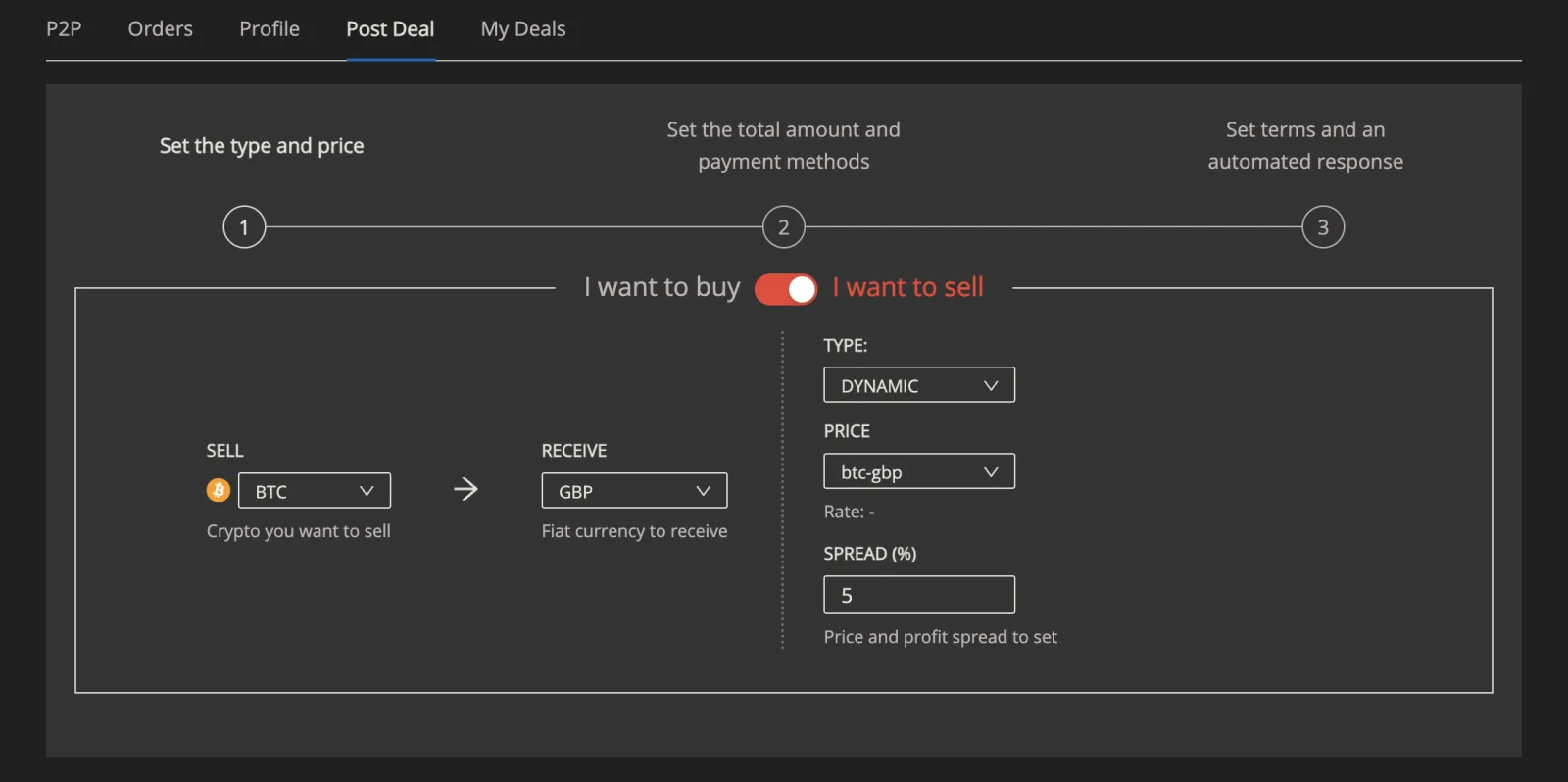
- Type: Static or Dynamic. With a static price, the vendor sets the exact price. With a dynamic price, the price tracks the market rate from an outside exchange, where a matching market exists.
- Price: the price of the deal. The vendor sets it for a static deal; for a dynamic deal it follows the tracked rate.
- Spread: a percentage the vendor adds on top of the price as their margin.
In the example below, the vendor sells BTC for GBP at a dynamic price that follows the BTC-GBP market rate, with a 5% spread.
2. Set the amount and payment methods
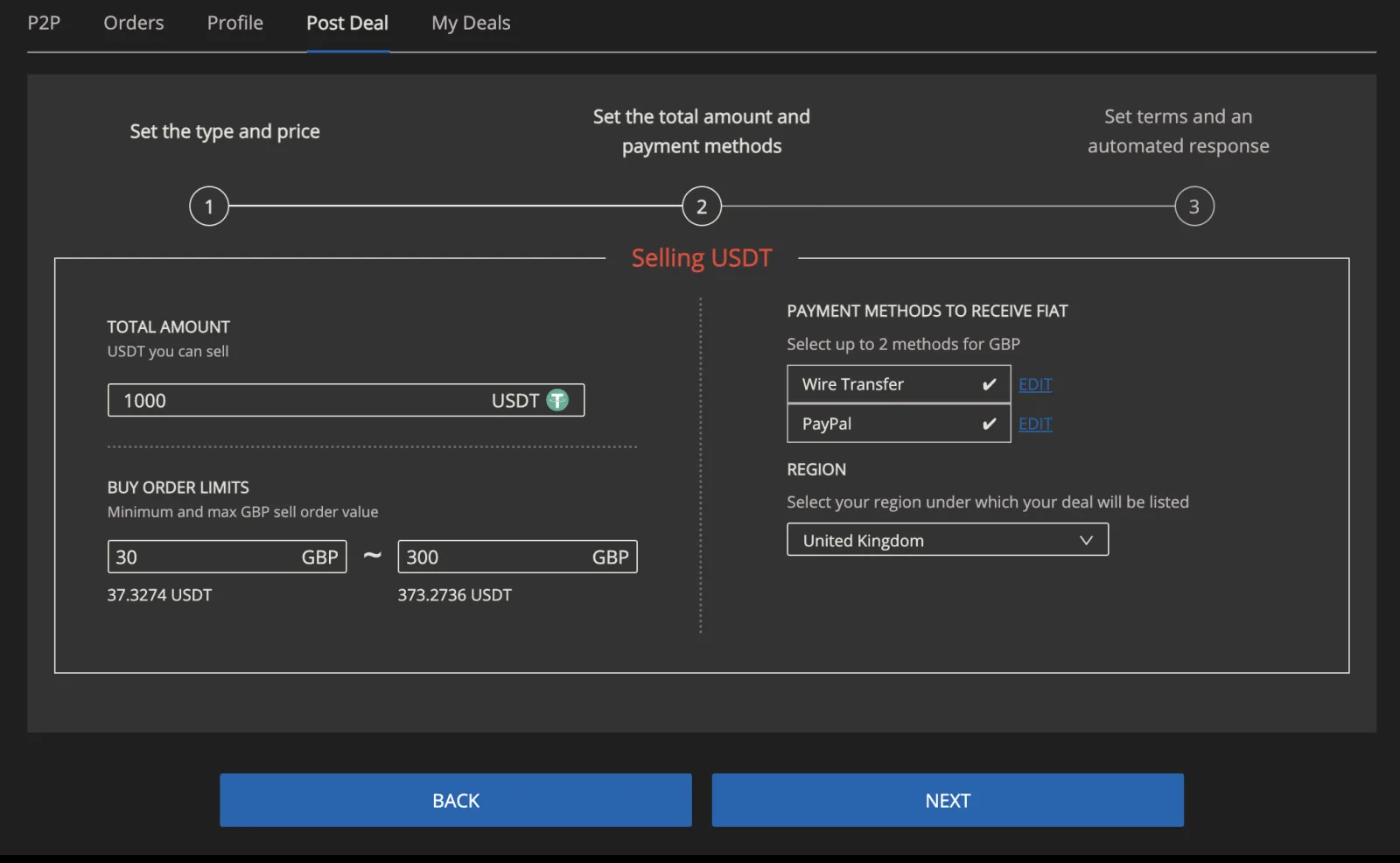
For the crypto:
- Total Amount: how much of the crypto the vendor offers in total, across all users. The vendor must hold at least this amount in their wallet on your exchange.
- Limits: the minimum and maximum amount one user can trade in one transaction.
For the fiat:
- Payment Methods: the methods the vendor accepts, from those you allowed in the P2P settings.
- Region: the region the deal is listed for.
3. Set terms and automated response
Finally, the vendor writes the terms shown to users before they take the deal, and an automatic first reply sent when a user opens the chat with them (for example, how soon they usually respond).
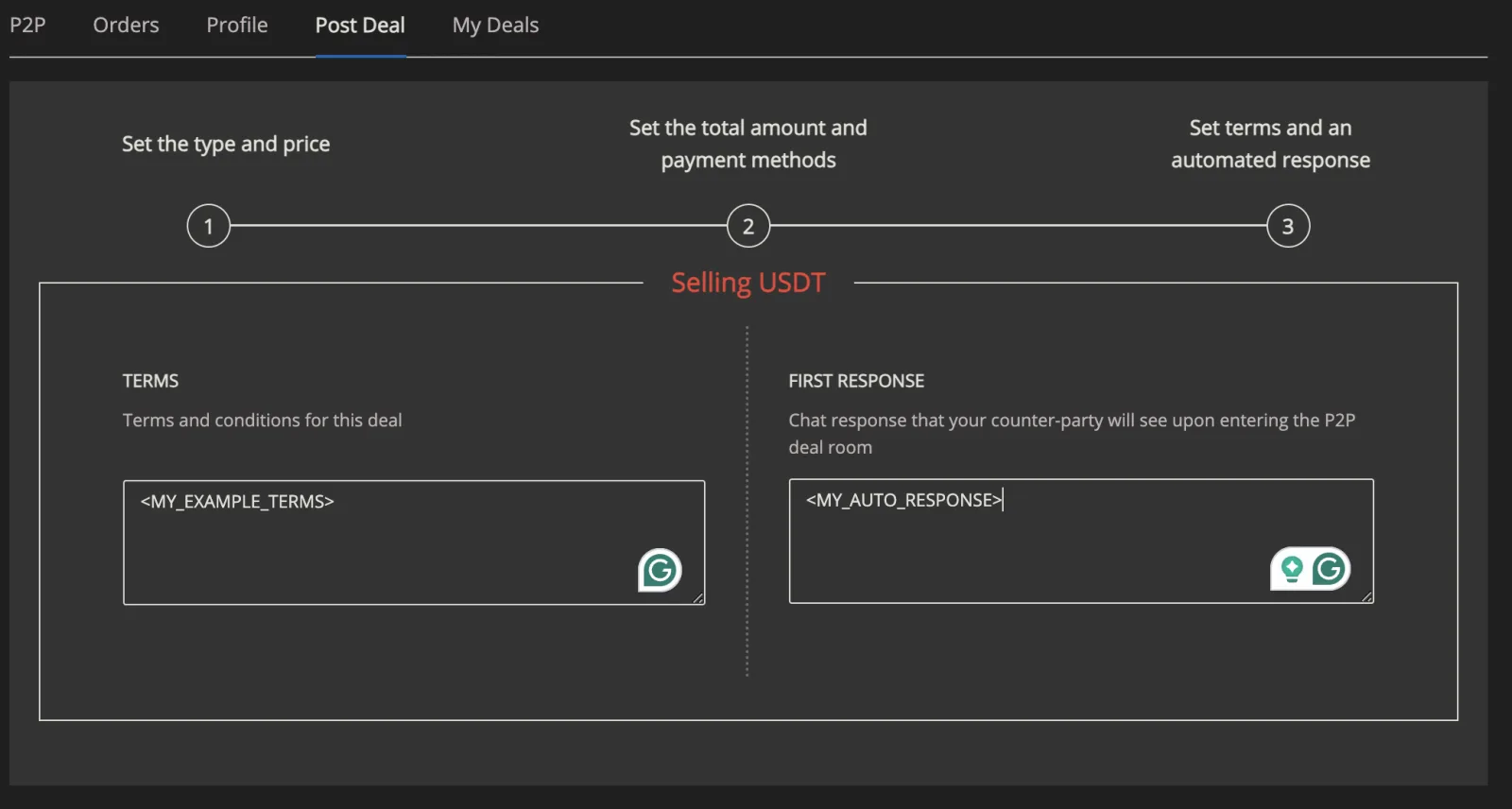
The vendor then submits the deal, and it goes live in the P2P marketplace.