Referrals
The referral system rewards users who bring new people to your exchange. A referrer shares a link, and when someone signs up with it, the referrer earns a share of the trading fees that person pays. The referrer can give part of their share back to the new user as a trading-fee discount.
How referral earnings work
- Referrer: the existing user who shares a referral link.
- Referee: the new user who signs up with that link.
When a referee trades, part of the fees they pay is set aside for the referrer, according to the Earning Rate you set. The rest goes to your exchange as normal.
For example, with an Earning Rate of 50, if a referee's trade generates 1 USDT in fees, 0.5 USDT is held for the referrer and 0.5 USDT stays with the exchange. Your exchange's share is settled with the rest of your trading fees under Operator Controls → Exchange → Fees & Revenue → Earnings.
Turn on referrals
- Go to Operator Controls → Exchange → Configuration → Features.
- Turn on Referral System and click Save.
- The Referral History Config window opens the first time. You can reopen it later with Configure on the Referral System card. Set:
- Currency: the currency earnings are tracked and shown in. This is for tracking only; it isn't the asset the referrer is paid in.
- Earning Rate: the percentage of a referee's trading fees that goes to the referrer, from 10 to 100.
- Earning Period (months): how many months a referrer keeps earning from each referee. Set it to 0 for no expiry.
- Minimum Amount: how much a referrer must have earned, in the tracking currency, before they can settle their earnings.
- Distributor ID: the user ID of the account that referral rewards are paid from. This is usually the account that receives your exchange's fees.
- Click Proceed to save the configuration.
The Features page lists Referral System only on the Enterprise plan.
If your exchange still has the older referral plugin installed, Operator Controls asks you to install the Referral Migrate plugin first. It moves the existing referral data to the new system.
Manage a user's referrals
Open a user under Operations → People → Users and go to the Referrals tab. There you can:
- See the user's referral codes, the earning rate and discount on each, and how many sign-ups each code has brought.
- See whether the user was referred by someone else.
- Create Referral Code for the user: set the Code (for example, a short, memorable code for a successful referrer), the Earning Rate % and the Discount %, then review and confirm. The user sees the new code in their own list.
What referrers see
On the exchange, users manage referrals from the referral page in their account.
Create a referral link
A user creates a new referral code or link and chooses how to split the earning rate between themselves and the people they invite. The part they give away becomes a trading-fee discount for the referee, which lasts as long as the Earning Period.
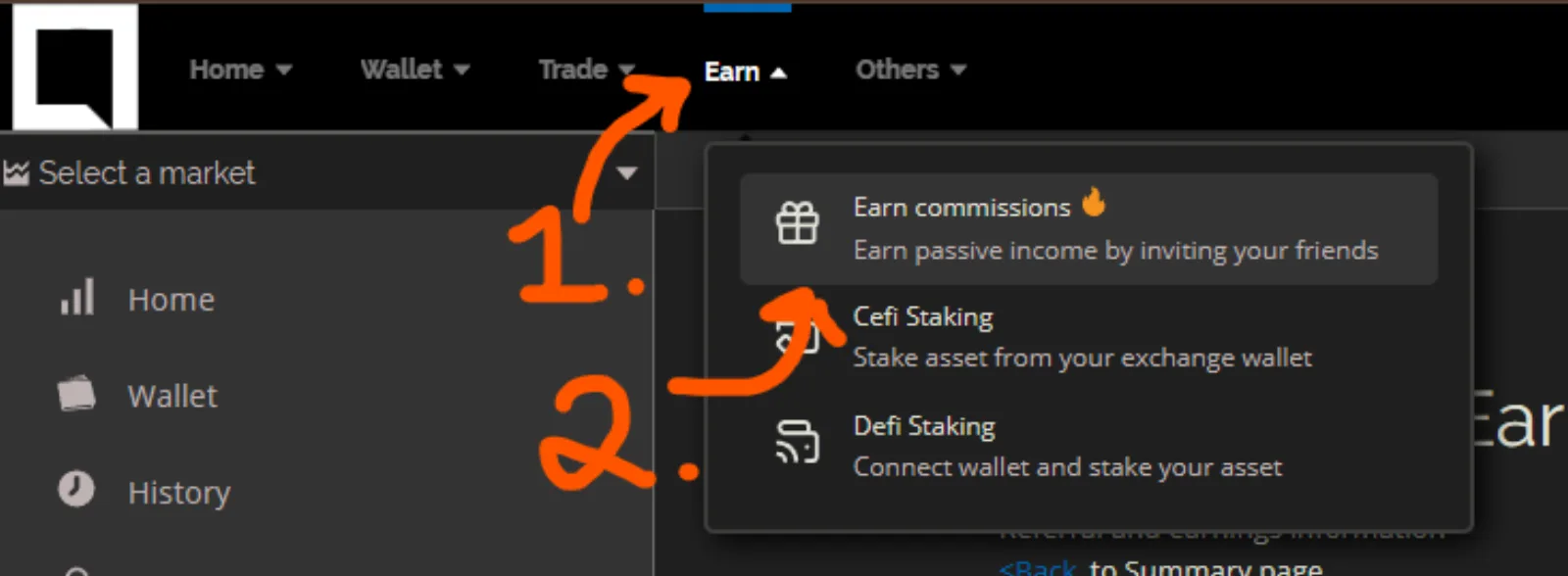
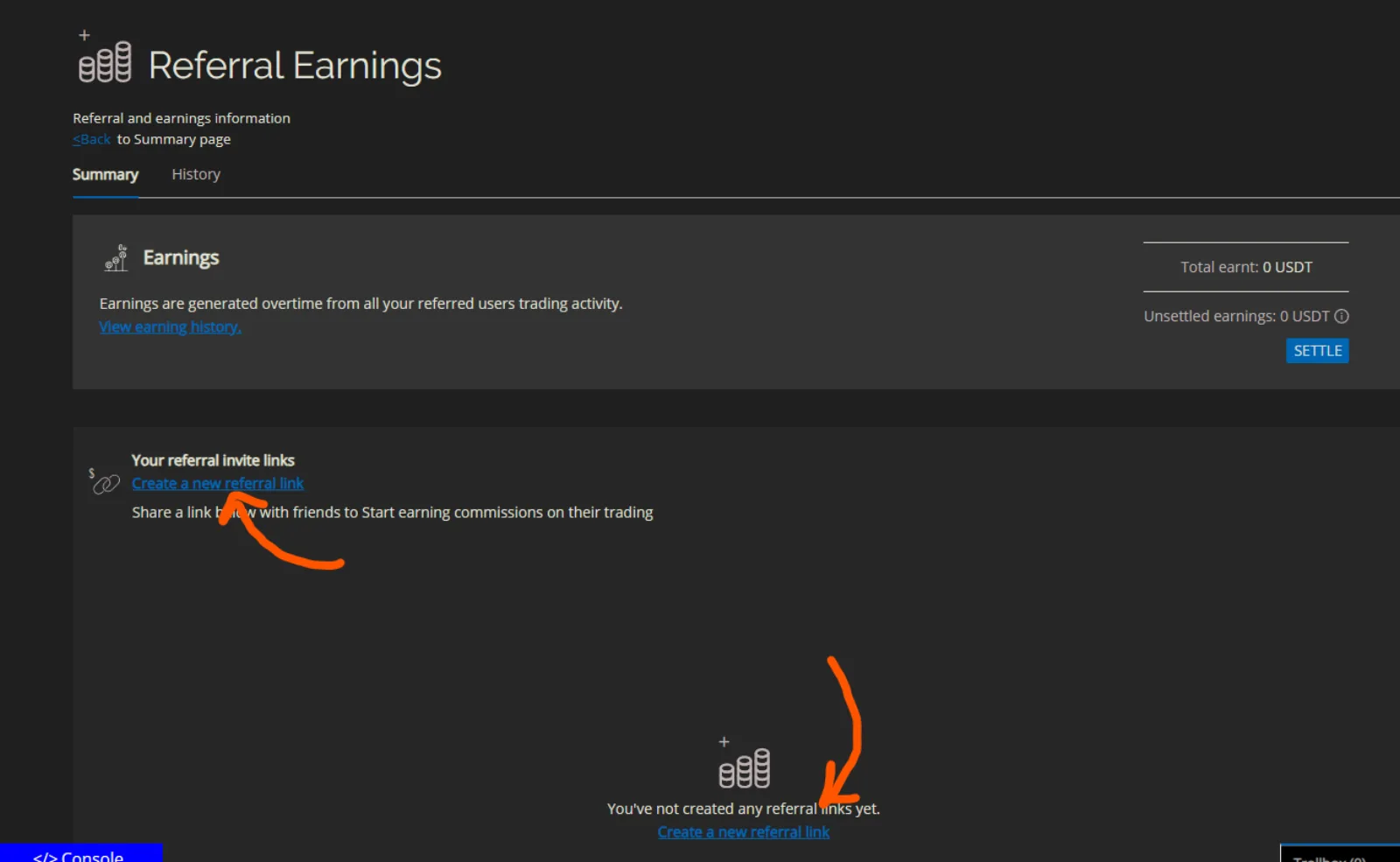
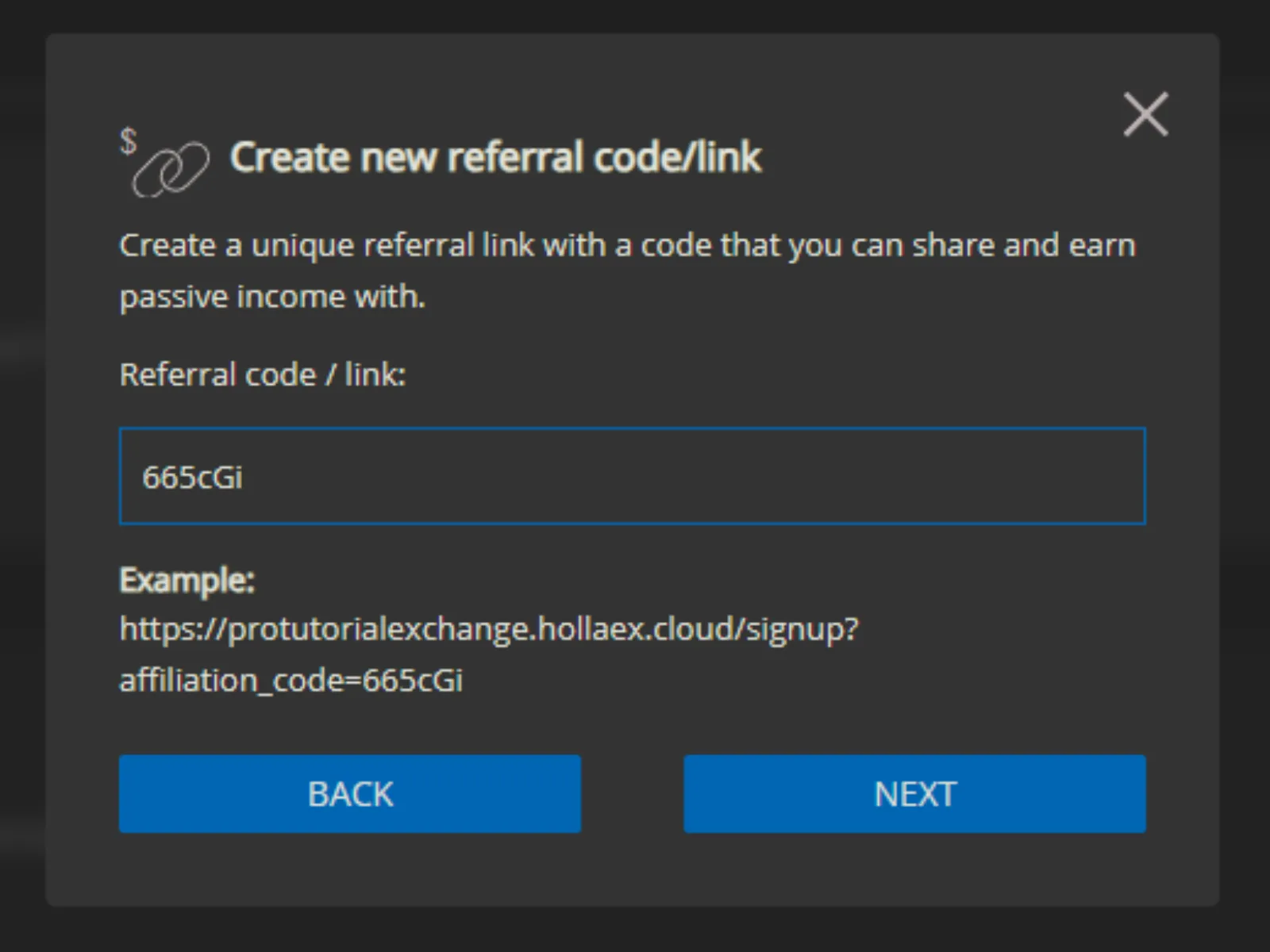
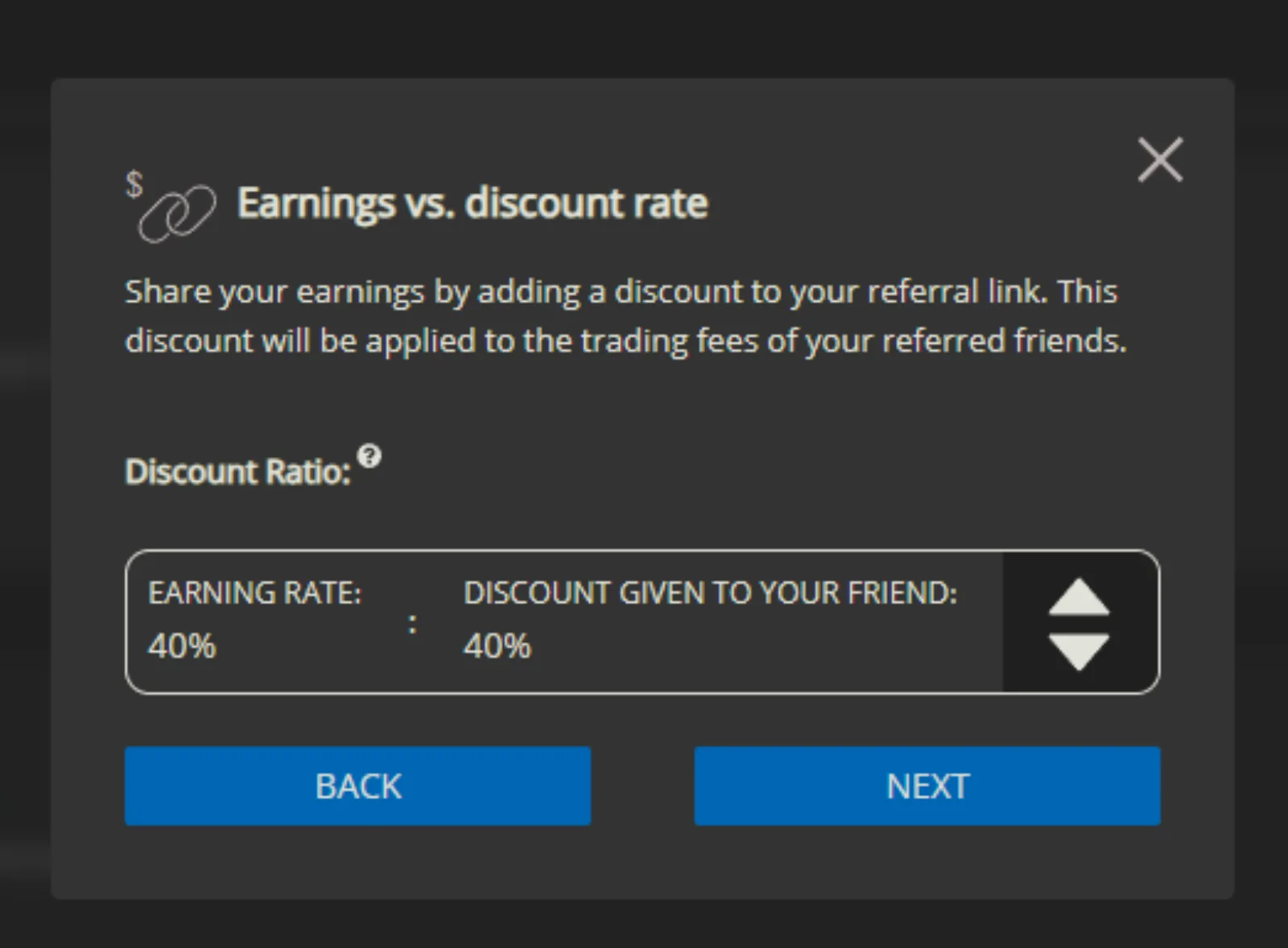
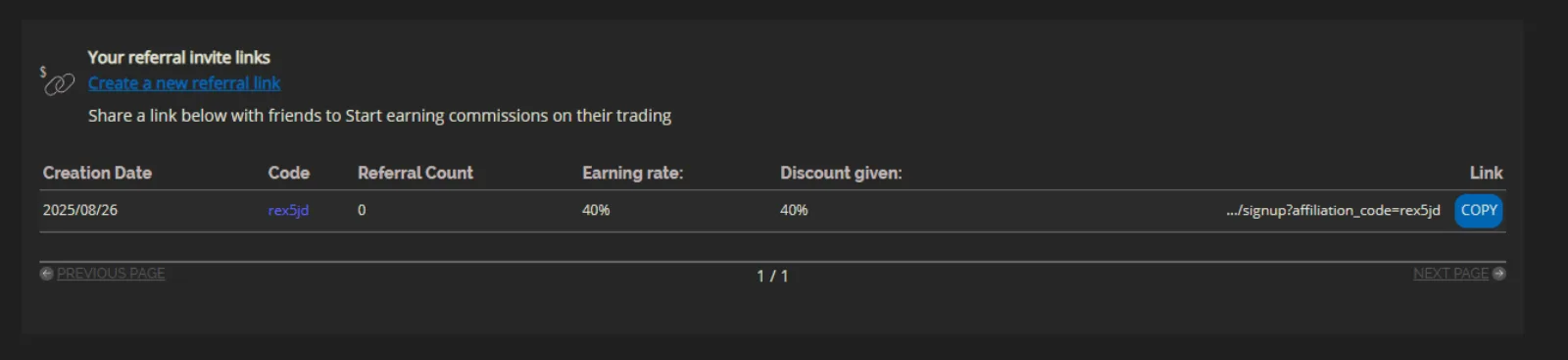
After confirming, the user copies the link and shares it. One link can be used by many sign-ups, and the referral count shows how many people joined with it. A user can create several links with different splits for different audiences.
Track and settle earnings
As referees trade, the referrer sees their sign-ups, total earnings and unsettled earnings. Once their unsettled earnings reach your Minimum Amount, they can settle them into their wallet.
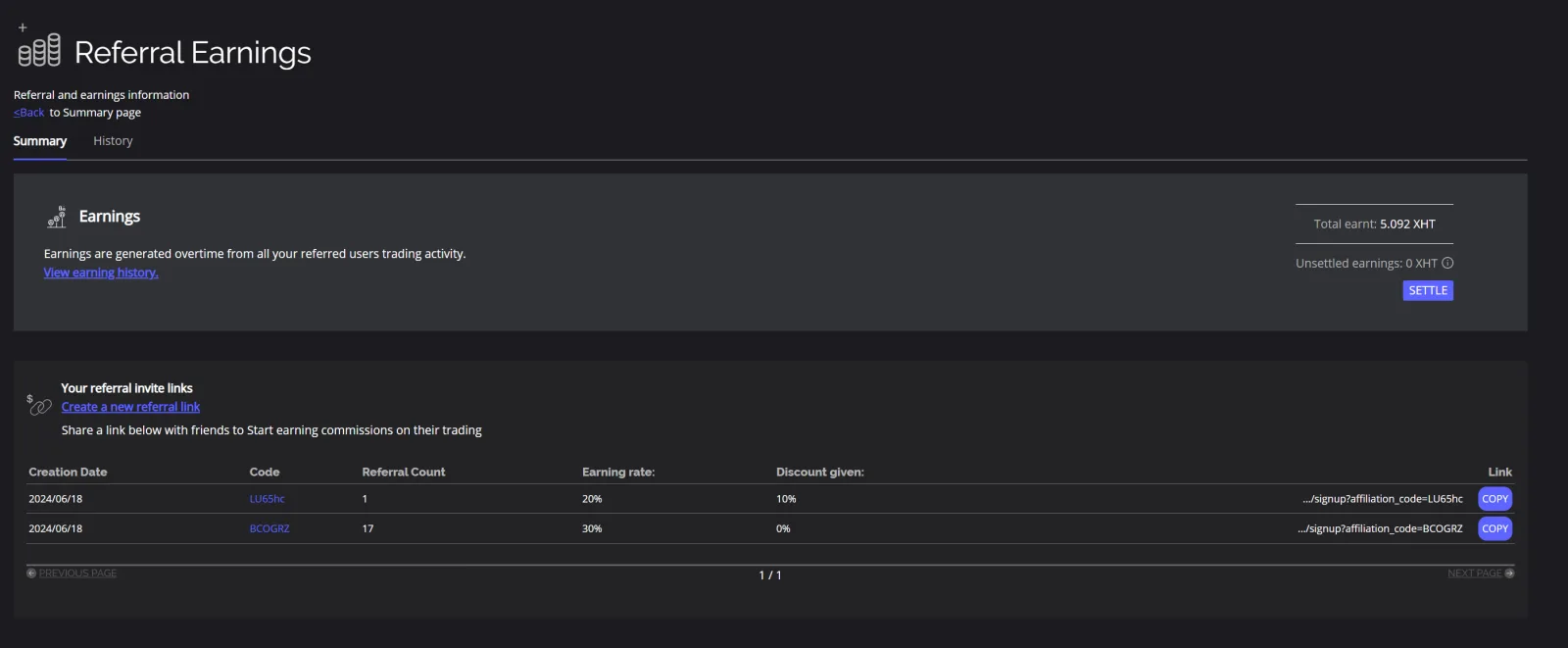
A history tab lists every past settlement.