HollaEx Web v3 & Site Studio
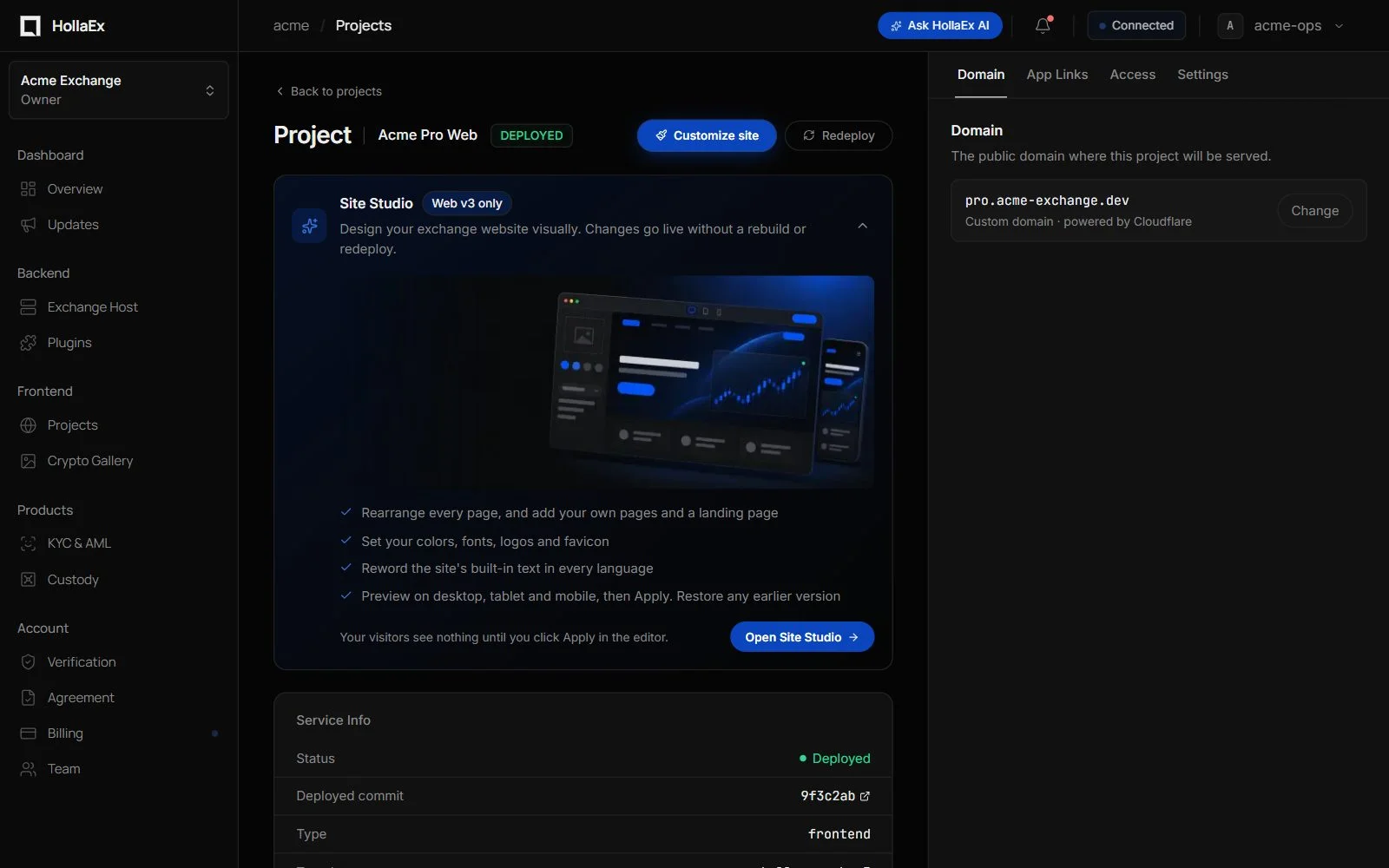
HollaEx Web v3 is the current-generation exchange website. You publish it from the dashboard's Crypto Gallery in a couple of clicks, and then shape it to your brand in Site Studio: a visual editor that runs inside your live site. Every page can be rearranged, you can add your own pages and a marketing landing page, and changes go live in about five seconds without a rebuild or redeploy.
What you get
- A complete exchange front-end out of the box: markets, trading view, wallet, deposits and withdrawals, earn and staking, account settings, referrals, sign-up and KYC flows. All connected to your exchange backend automatically.
- Visual editing of every page. Click any block to change its content, size and who sees it. Add, move and remove sections. Pages you don't touch keep following the HollaEx template, so product updates still reach them.
- Your own pages and a landing page. Create new pages at
/app/<name>with headings, text, images, buttons, banners, statistics, feature cards or custom HTML. Turn on the built-in landing page with an animated hero, live market cards and a call to action. - Theme and brand. Theme presets, light and dark colours, corner roundness, your own font, logos, favicon, app icon and background image.
- Wording in every language. Reword any built-in text of the site per language.
- Site settings for growth. Page titles and link previews, social profiles, Google Analytics with consent, search-engine verification, and head and body scripts for chat widgets and tags.
- Safe publishing. Changes save as drafts, nothing reaches visitors until you click Apply, and every applied revision can be restored, including the original template.
- AI Builder. Describe a change in plain language and the AI Builder makes it on your Web v3 website, with a live preview before anything is published. Included with the Enterprise plan.
Plan requirements
HollaEx Web v3 and Site Studio come with the Enterprise plan. During a free trial you can create and publish a Web v3 website, and Site Studio unlocks once the plan is paid. See Billing.
Publishing a Web v3 website
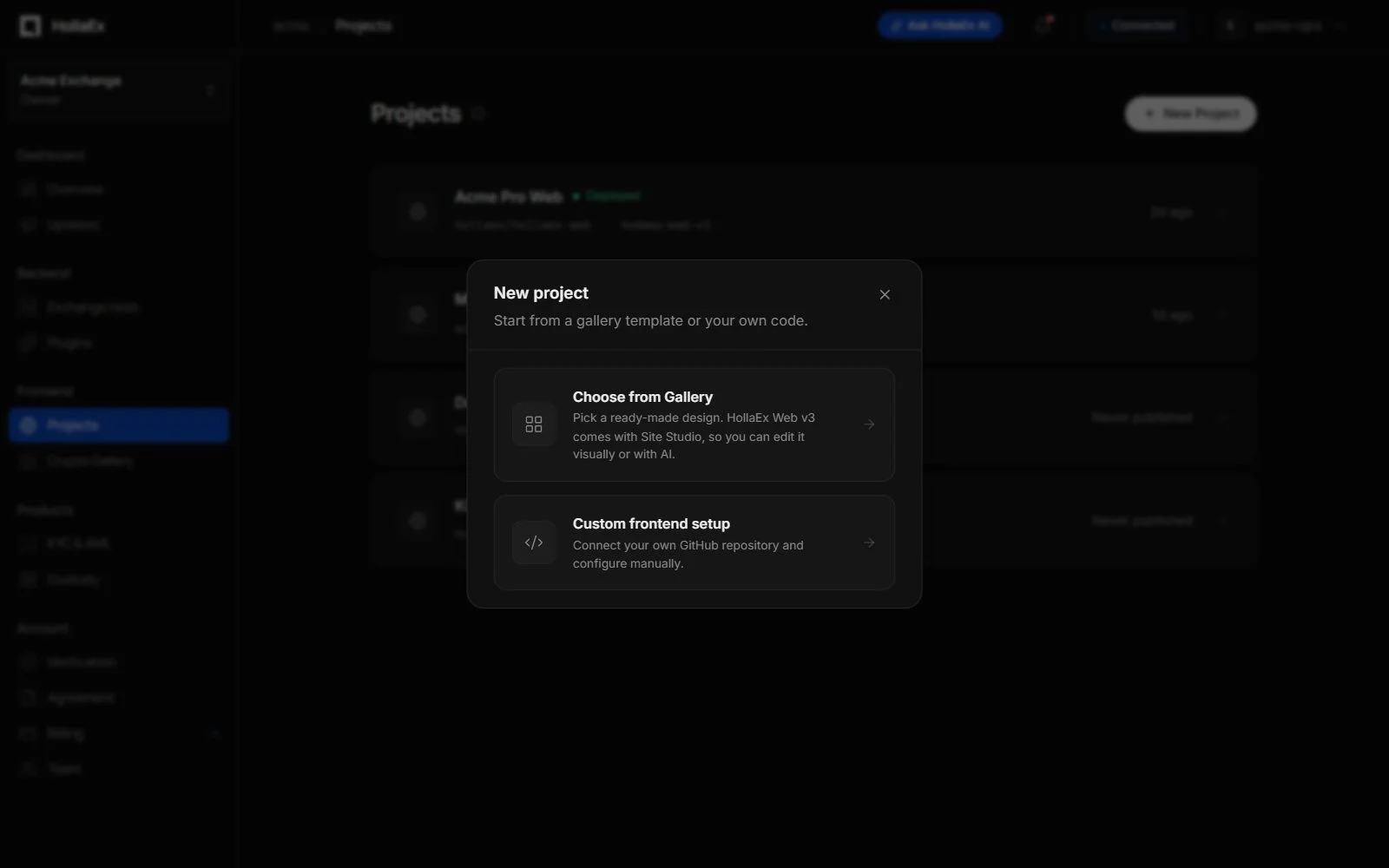
- In the dashboard, open Projects and click New Project, then Choose from Gallery.
- Pick HollaEx Web v3 (featured, marked Site Studio · AI) and click Publish. Give the site a name. This creates the project; it isn't online yet.
- On the project page, open the Domain tab and either use the free HollaEx-assigned domain or connect your own domain.
- Click Deploy site. The build takes a few minutes and the site goes live at your domain.
- Click Customize site (or Open Site Studio on the Site Studio card) to start designing.
Keeping it current is one click: when HollaEx ships a newer Web v3, the project shows Upgrade. Turn on Auto upgrade in the project settings to install updates as they are released. Your domain, settings and Site Studio design are kept.
Site Studio at a glance
| Area | What you can do |
|---|---|
| Edit mode | Select any block on the page and change its content, look and size, and who sees it (everyone, signed-in users, signed-out visitors). |
| Design mode | Theme presets, brand and mode colours, corner roundness, fonts, logos, favicon, background, footer and help panel. |
| Pages | Lay out every exchange page, hide pages, create your own pages, enable the landing page, set per-page SEO. |
| Blocks | Exchange blocks (markets, portfolio, quick trade, order book, wallet, earn, referral...) and content blocks (hero, text, image, button, banner, statistics, feature cards, custom HTML). Plugins can add their own blocks. |
| Text | Override any built-in wording per language. |
| Preview | See the site on desktop, tablet and mobile, in light and dark mode, with sample data. |
| Apply & restore | Apply changes live in seconds; restore any earlier revision. |
The full reference, including roles, limits and troubleshooting, is in the Site Studio guide.
Web v3 or Kit v2 Web?
| HollaEx Web v3 | HollaEx Kit v2 Web | |
|---|---|---|
| Customization | Site Studio: visual editor and AI, no rebuild | Operator Controls: branding, themes, strings; code changes need a rebuild |
| Own pages and landing page | Yes, in the editor | Landing page via Operator Controls |
| Updates | One-click upgrade or auto upgrade | Bundled with the exchange backend upgrade |
| Mobile apps | App Links and passkeys | Supported |
Need something the editor can't do? Try the AI Builder first. For full code control, fork the template from the gallery and connect your fork as a custom frontend project.