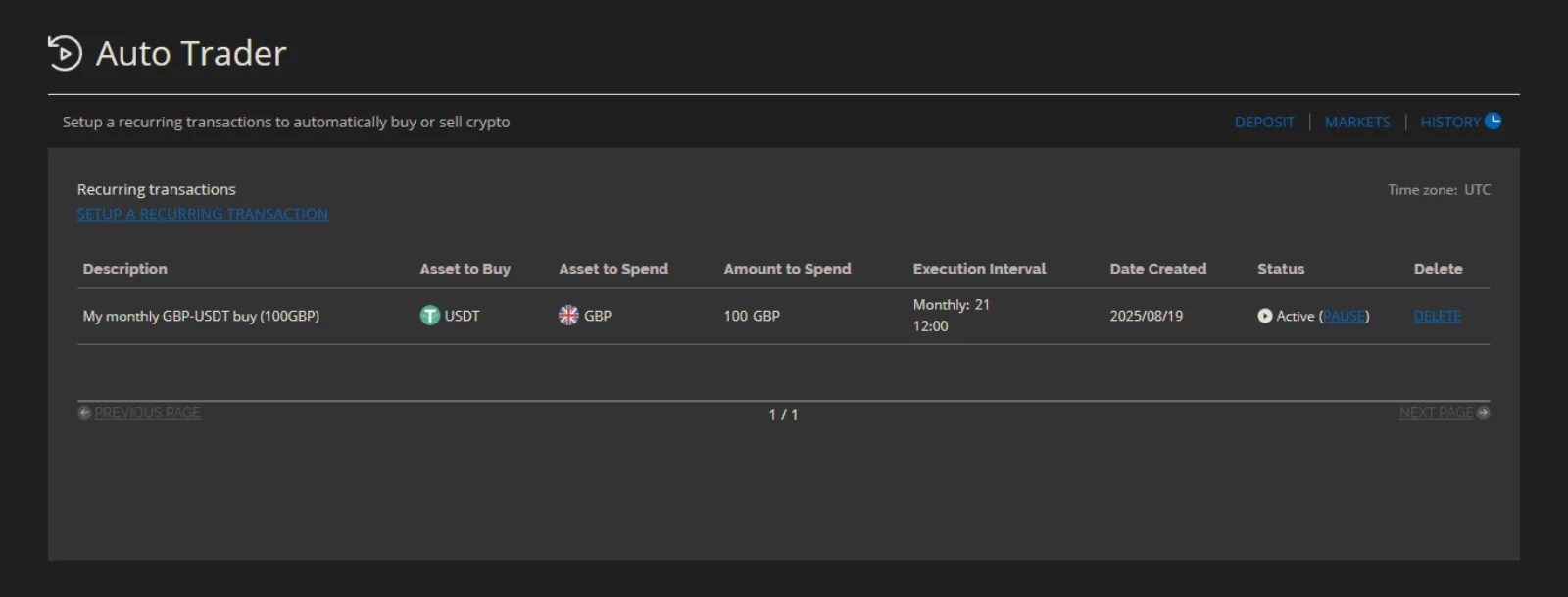
Auto Trader
The Auto Trader lets users schedule recurring buys on your exchange, daily, weekly or monthly. It makes strategies like dollar-cost averaging (DCA) simple: a user picks what to buy, how much to spend and how often, and the exchange buys for them on schedule.
How auto trades are filled
Each scheduled run is placed as an ordinary Quick Trade (Convert), so it's filled by whatever liquidity serves that pair: your liquidity pools, the order book, or a legacy OTC deal, as set by your routing. The fills show up in the user's trade history like any other quick trade.
Make sure the pairs your users schedule have liquidity, and keep that liquidity funded. A run can't complete if the pair can't be converted.
Turn on the Auto Trader
- Go to Operator Controls → Exchange → Configuration → Features.
- Turn on Auto Trade and click Save.
Quick trade (Convert) must also be on, because auto trades run as quick trades.
The Features page lists Auto Trade only on the Enterprise plan.
See and remove a user's recurring buys
Open a user under Operations → People → Users, go to the Orders tab, and open Recurring buys. You see each schedule's buys, how much it spends per run, its schedule, when it last ran, and whether it's active or paused. You can filter by status.
Schedules belong to the user, so you can't edit them. You can Remove Recurring Buy to stop a schedule's future buys, if your operator role allows it.
What users see
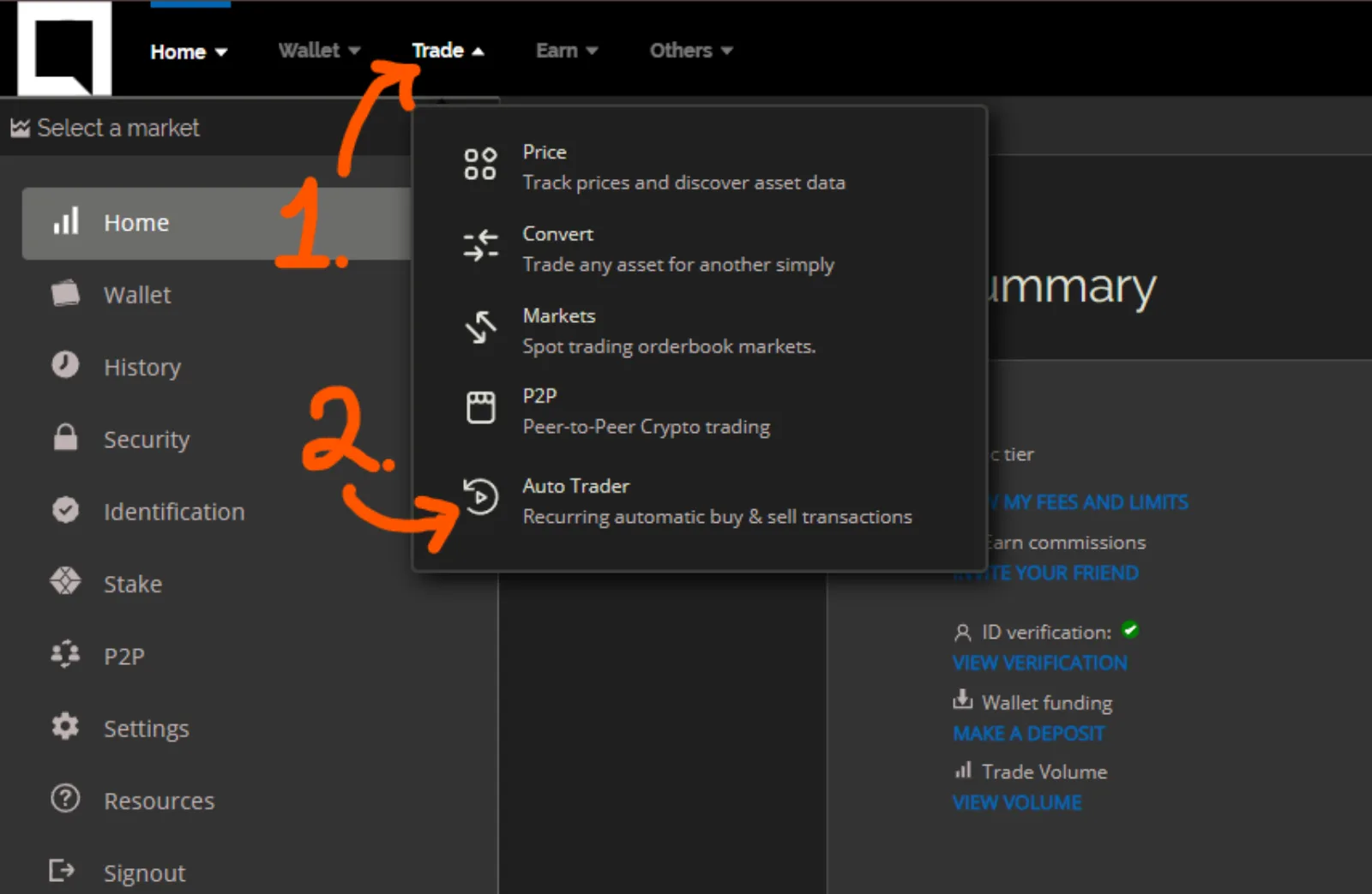
Users open the Auto Trader from the Trade menu on the exchange.
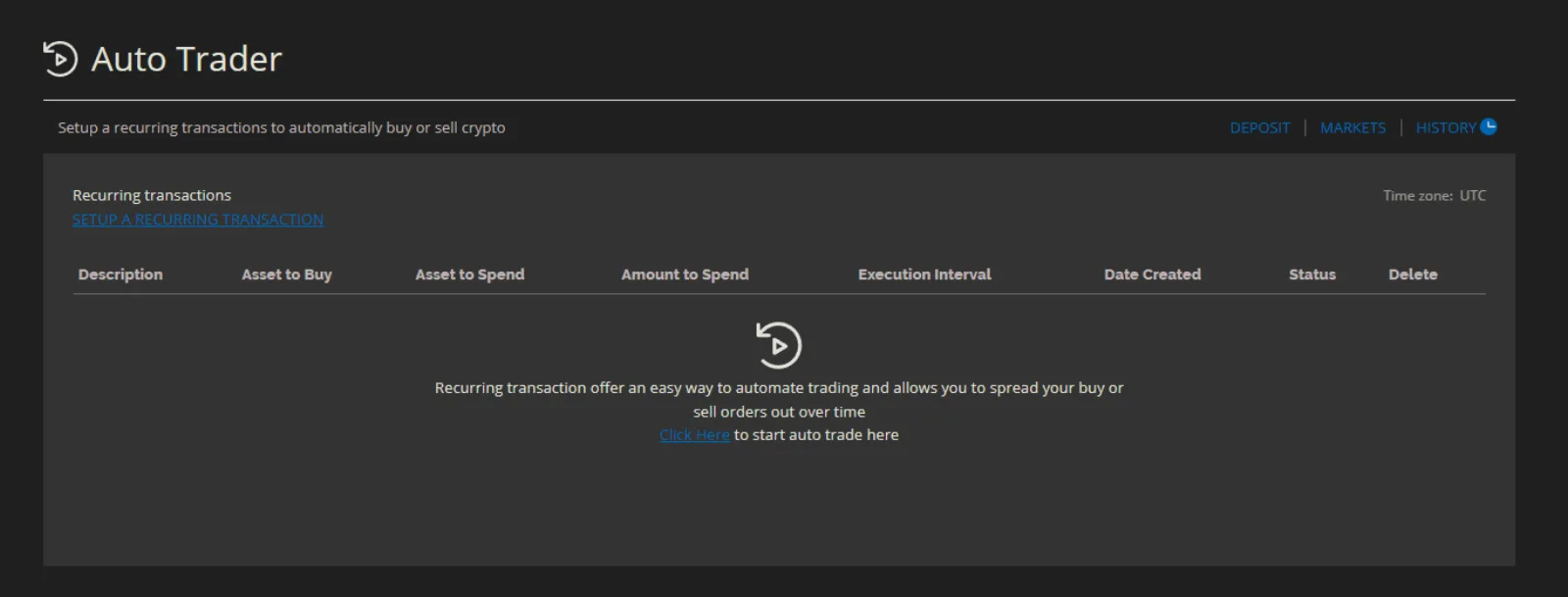
Create a recurring buy
-
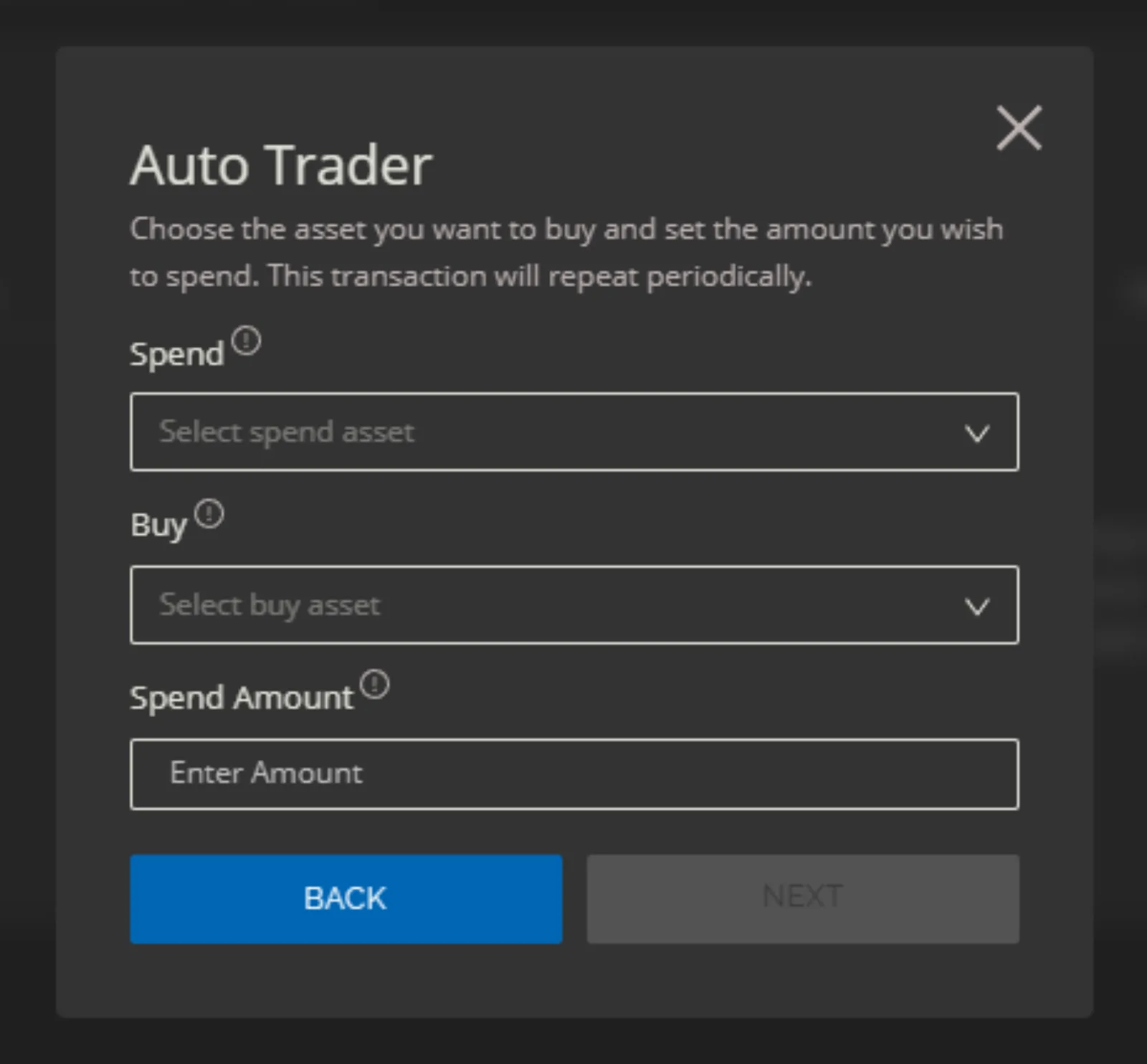
The user chooses the two assets and how much to spend on each run. If the amount is below the pair's minimum, they're told.
-
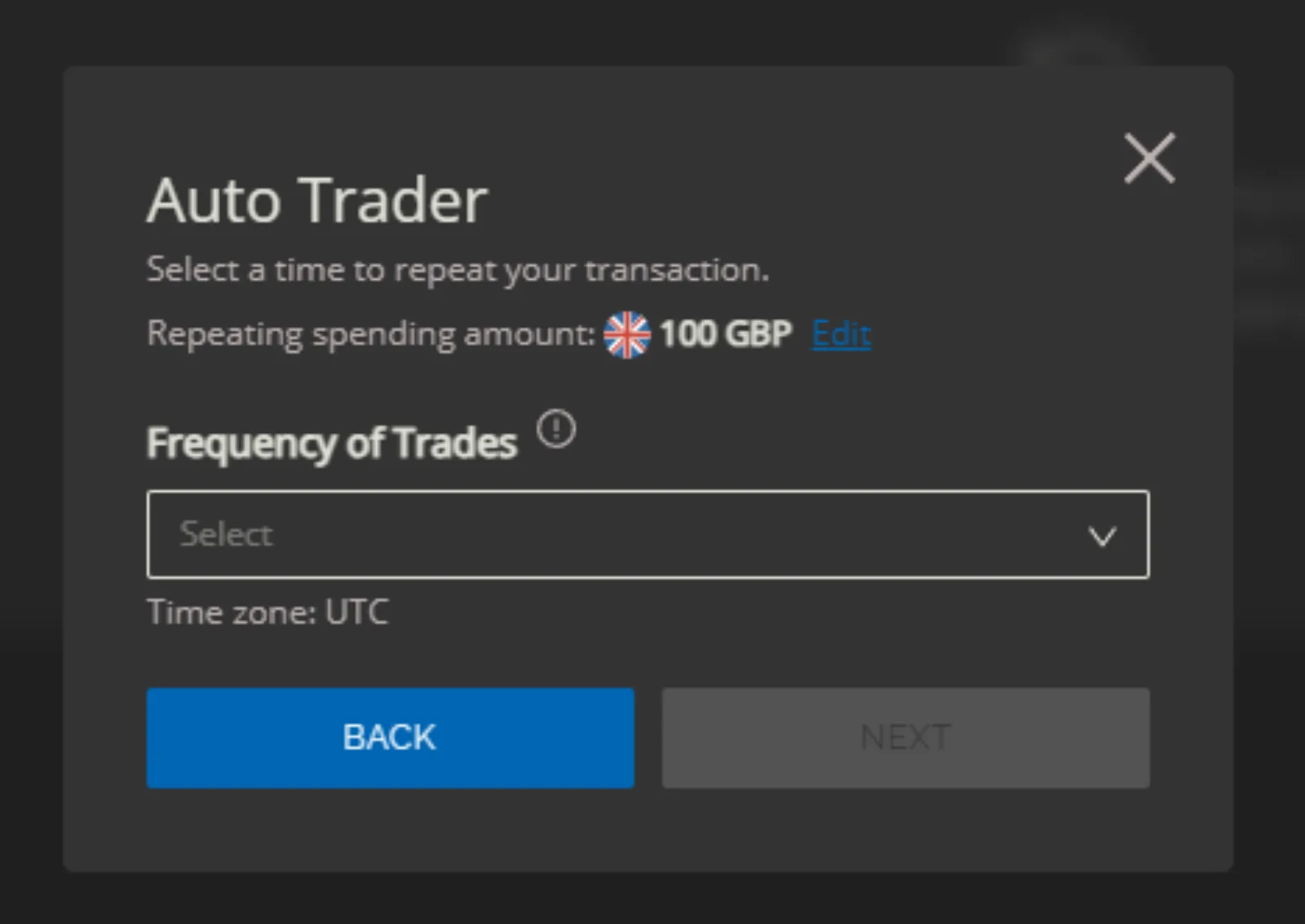
They choose how often: daily, weekly or monthly.
-
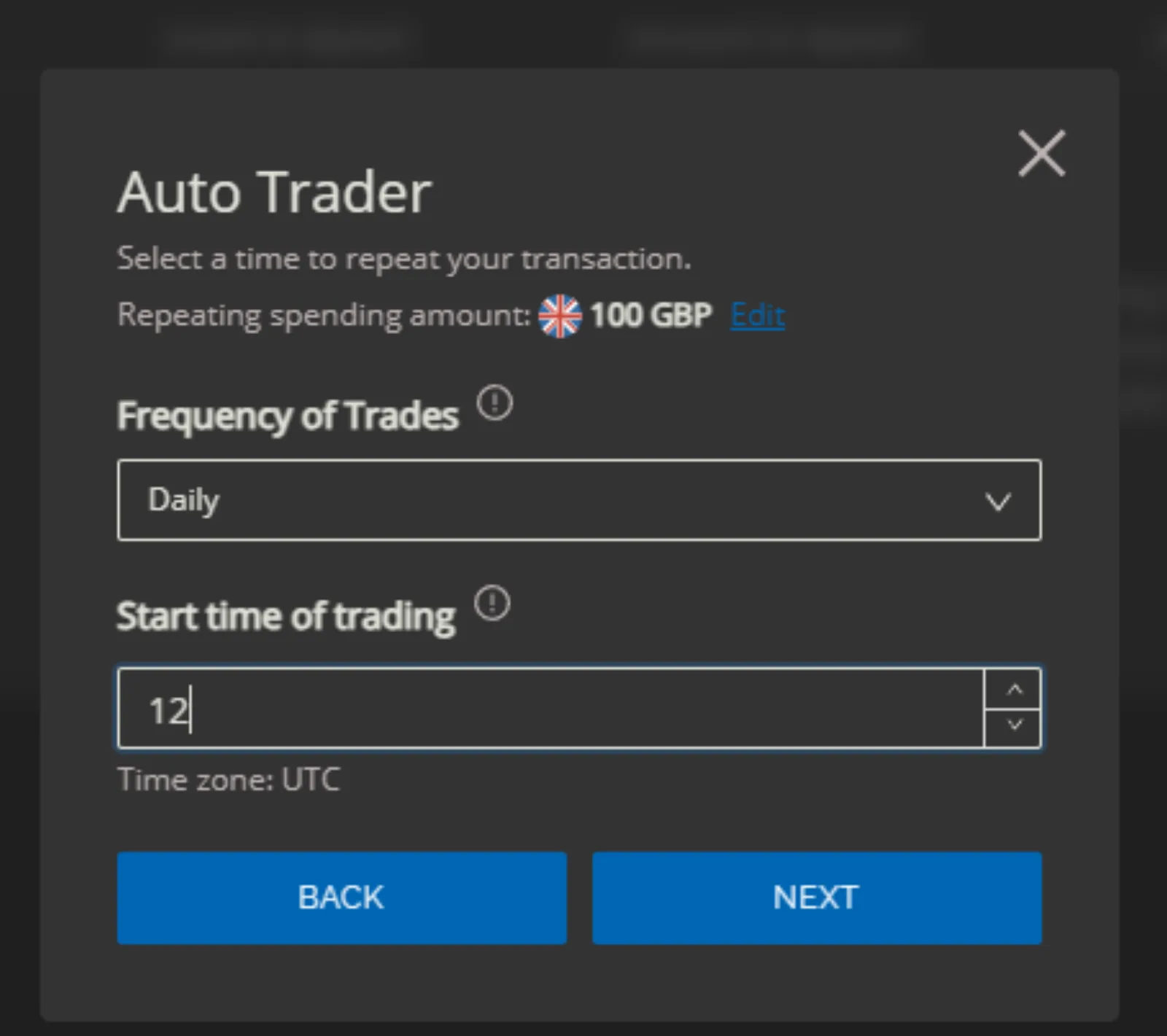
Daily: at a chosen hour (UTC).
-
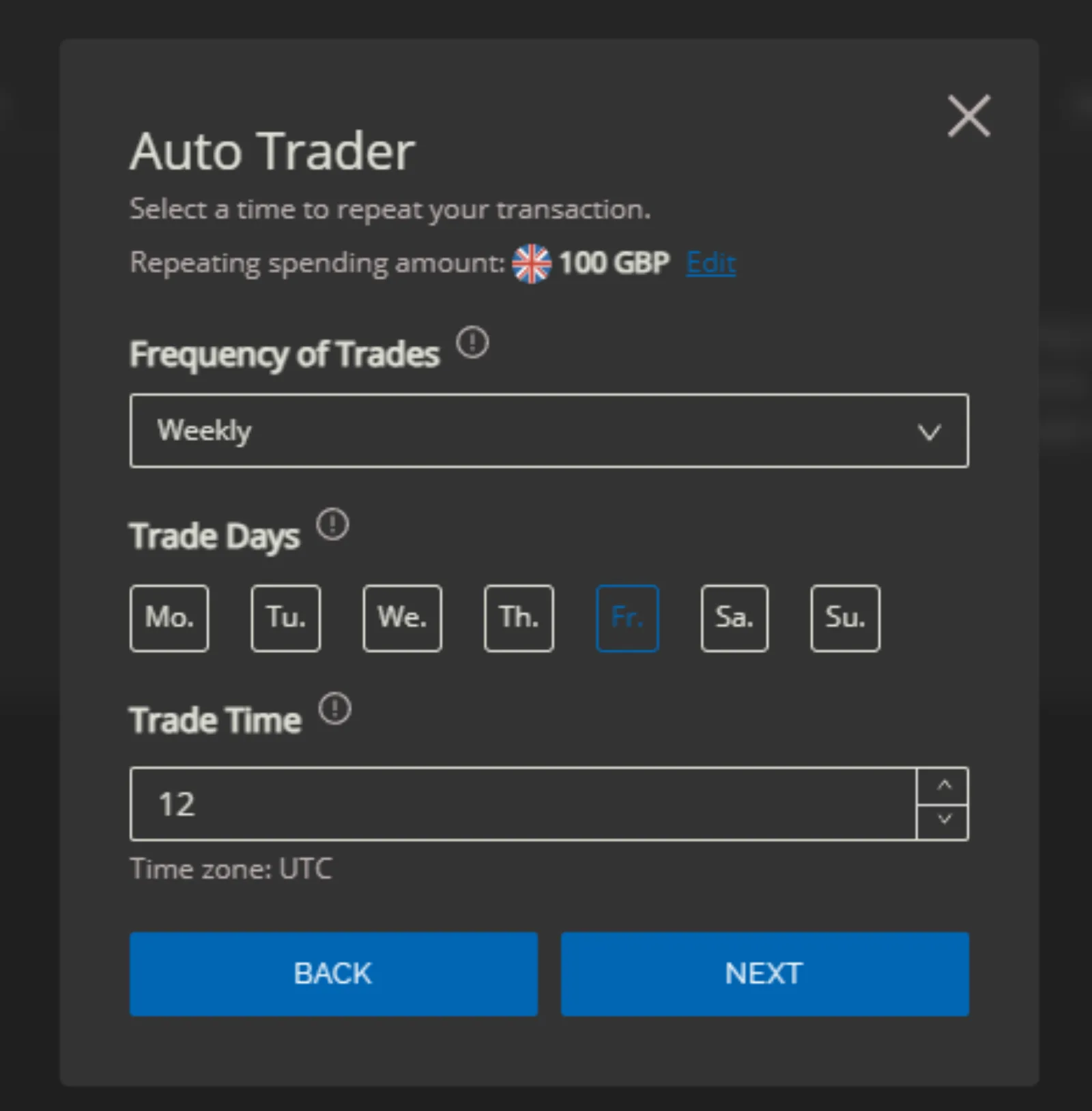
Weekly: on a chosen day of the week, at a chosen hour.
-
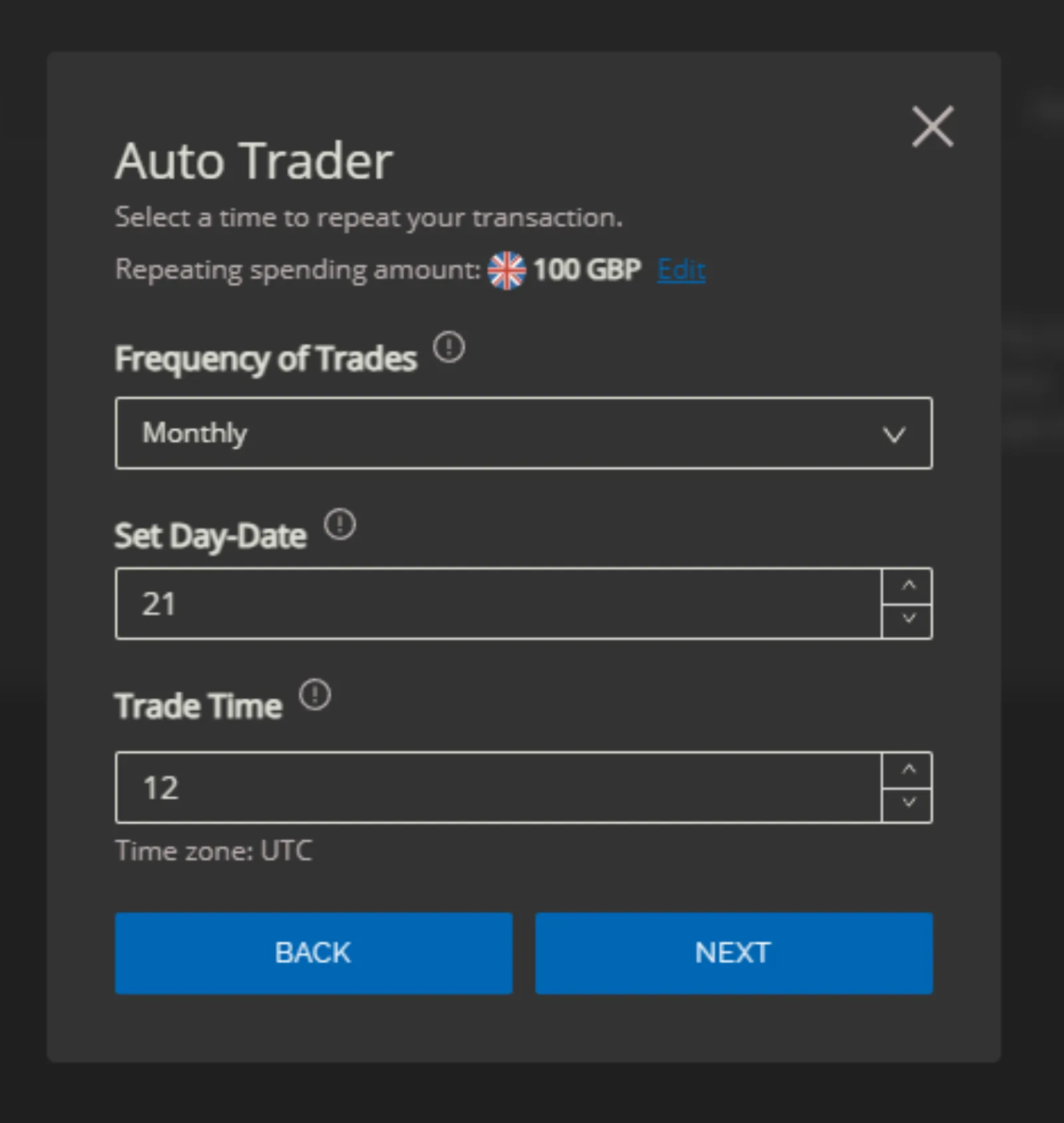
Monthly: on a chosen date, at a chosen hour.
-
-
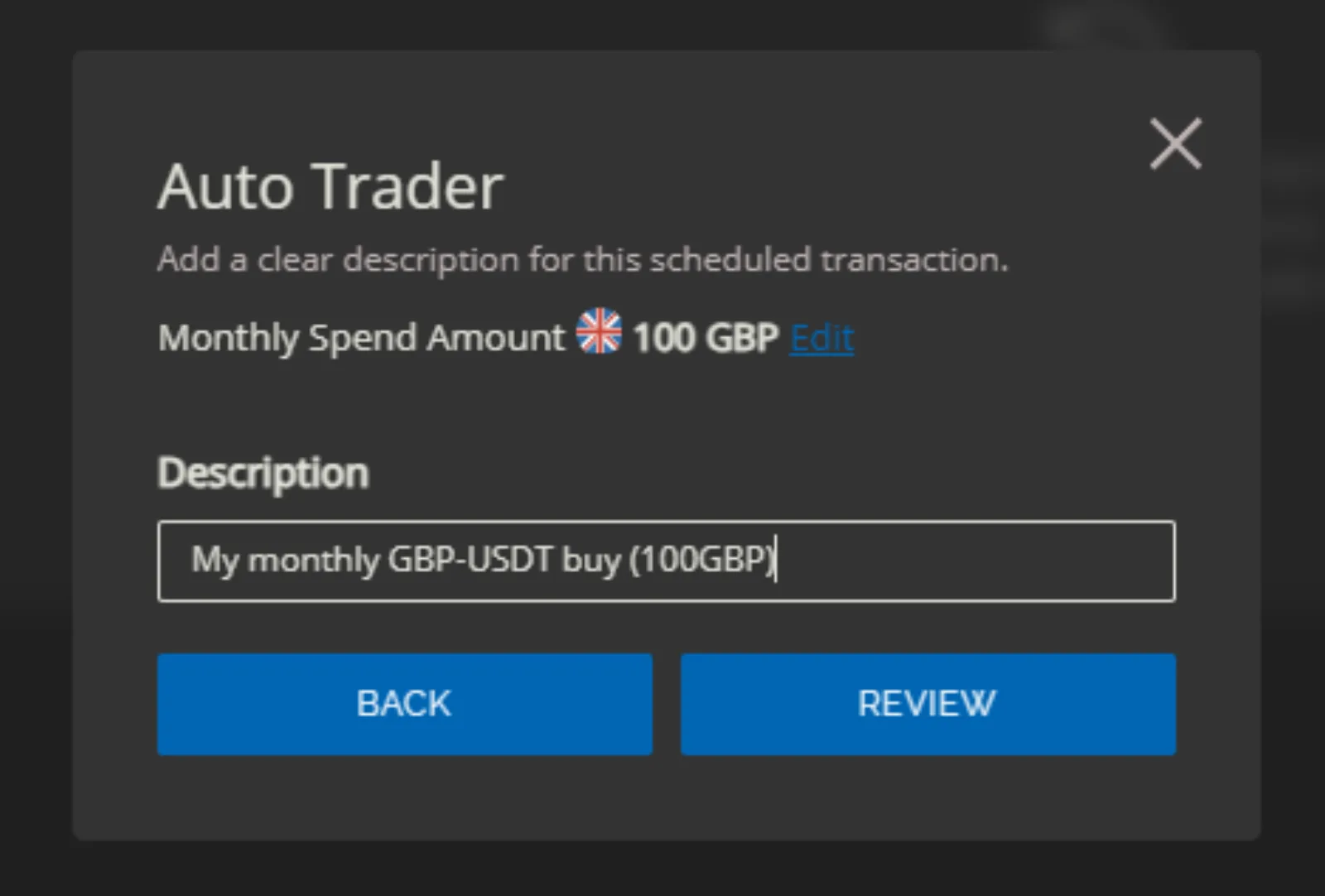
They can add a short description.
-
They review and confirm.
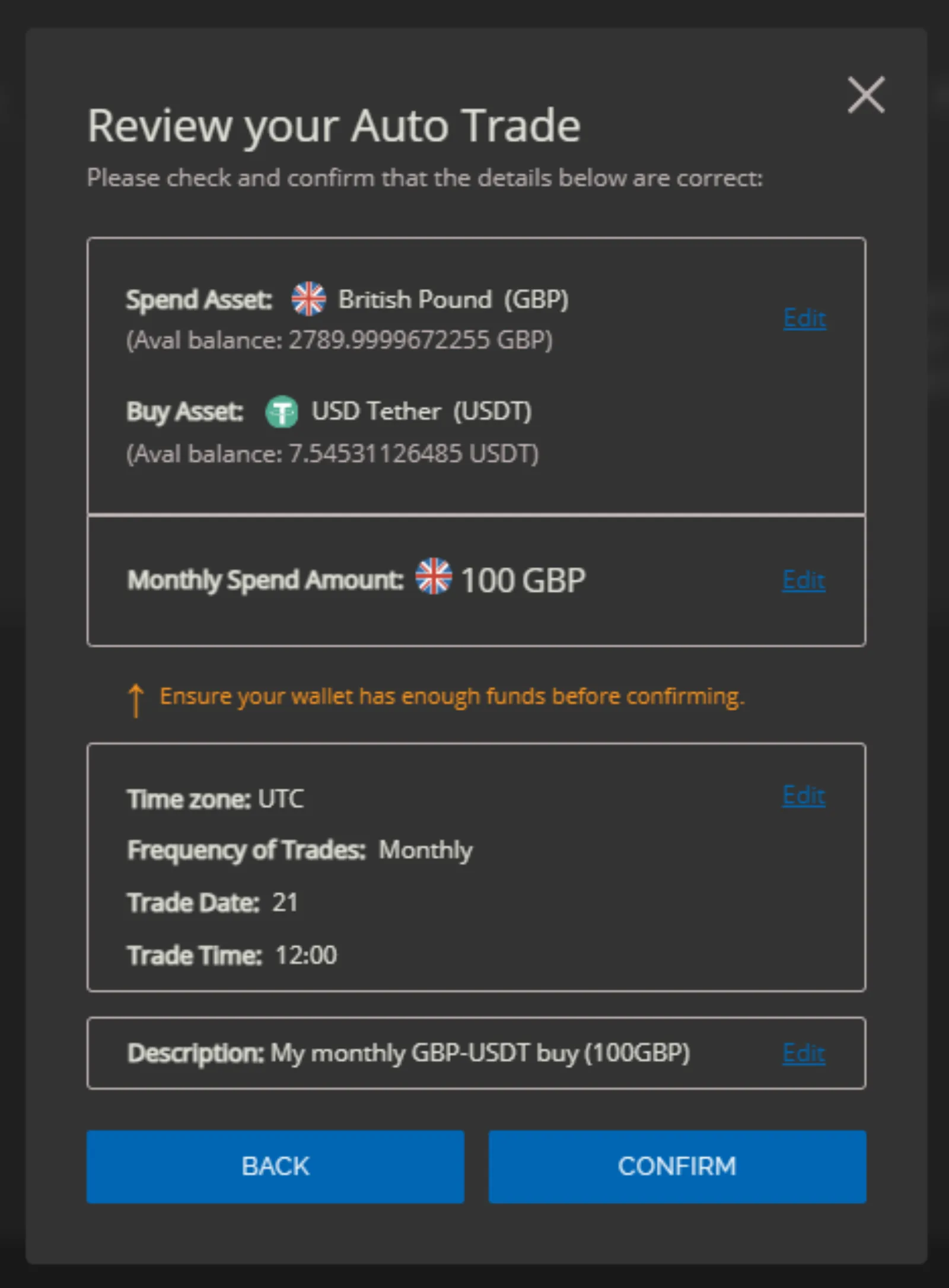
The new recurring buy is then active and listed on the Auto Trader page, where the user can pause or delete it.