Sub Accounts
Sub accounts let a user split one main account into several separate accounts, each with its own balance and activity. Users use them to keep funds apart, for example for separate trading strategies, risk isolation, or to give someone else access to part of their funds.
Sub accounts in Operator Controls
Open a user under Operator Controls → Operations → People → Users and go to the Sub Accounts tab. It shows the accounts linked to that user: for a main account, its sub accounts, and for a sub account, its main (master) account. Each row shows the account's email, the label and colour the account holder gave it, its tier, its status and when it was linked.
How users create a sub account
Users manage sub accounts from their account settings on the exchange, under Manage Sub Accounts. The main account is listed first.
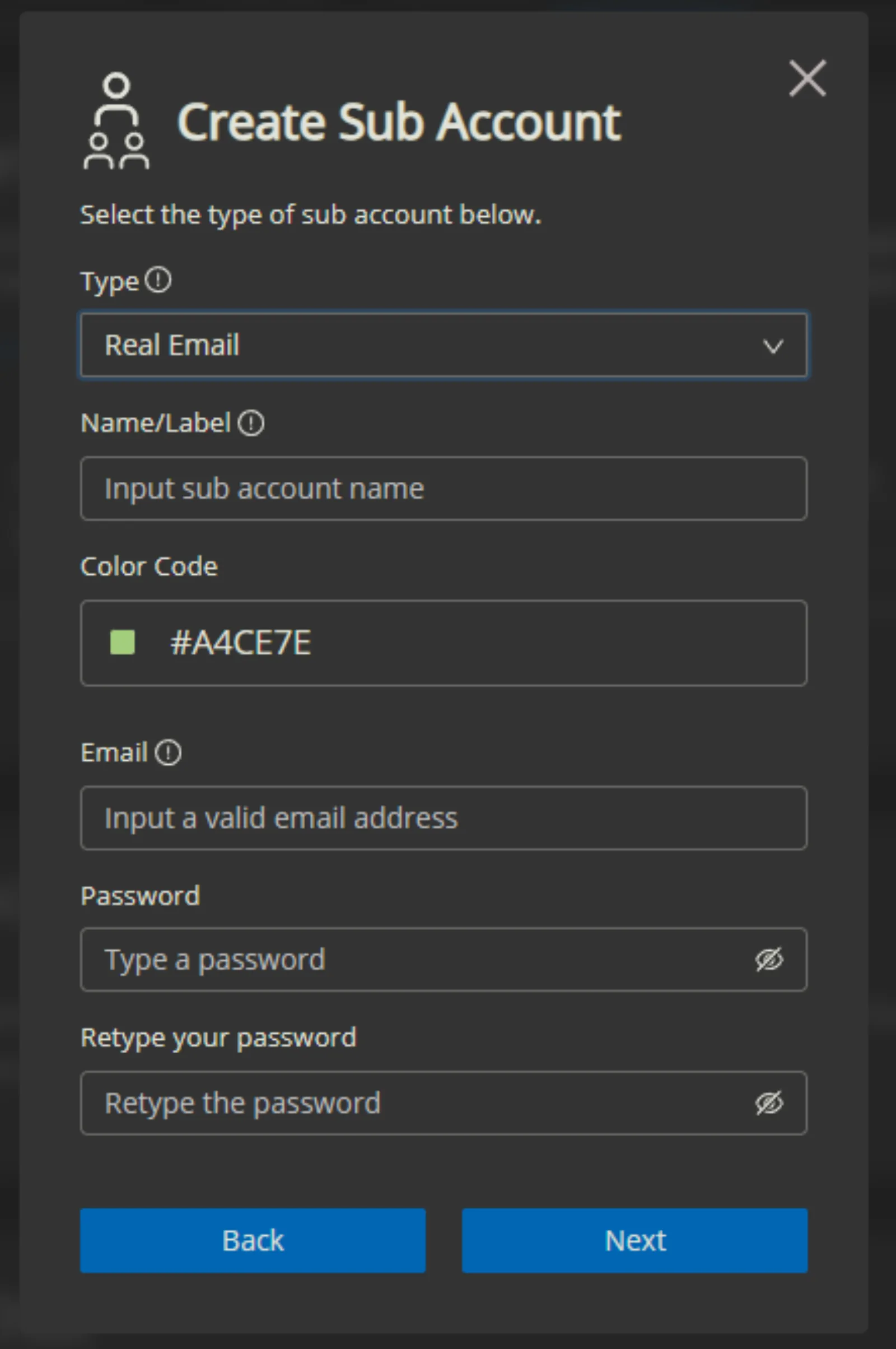
To add one, the user clicks Create Sub Account and fills in:
- Type: Real Email or Virtual (see below).
- Name/Label: a name to identify the account, for example "bot trading".
- Color Code: the colour of the account's label.
- Email and Password (Real Email only): the login for the new account. The email must be a real address that hasn't been used on your exchange before. A confirmation email is sent to it to finish creating the account.
How sub accounts behave
- A main account can create several sub accounts under the same owner.
- The main account can transfer funds into and out of its sub accounts at any time.
- Sub accounts can't withdraw. To move funds off the exchange, the main account transfers them back with Transfer Out, then withdraws.
- The main account can switch to any of its sub accounts. Trades made after switching use that account's funds.
- A sub account can be deactivated, which makes it inaccessible. Any remaining funds must be transferred back to the main account first.
Real Email sub accounts
A Real Email sub account has its own email and password and is logged into like a normal account. It can deposit, trade and use almost every other feature, but it can't withdraw.
Virtual sub accounts
A Virtual sub account has no email or password, so nobody can log into it directly. It's reached only by switching to it from the main account. It can't withdraw either.
Example uses
- A business gives a trader access to a single Real Email sub account, so the trader can work without touching the treasury.
- A team keeps operating funds, fee revenue and marketing budgets in separate sub accounts.
- Higher-risk strategies or new bots run in their own Virtual sub accounts, away from the main balance.
- Family members get their own sub accounts, with no ability to withdraw.