Users Making Fiat Deposit
Once you've completed the Initial Setup, users can deposit fiat. This page follows a user depositing £1,000 (GBP), and what you do as the operator. The user screens shown are from the HollaEx Kit v2 Web exchange website.
The user requests a deposit
On the deposit page of the fiat currency, the user sees the on-ramp details you set up.
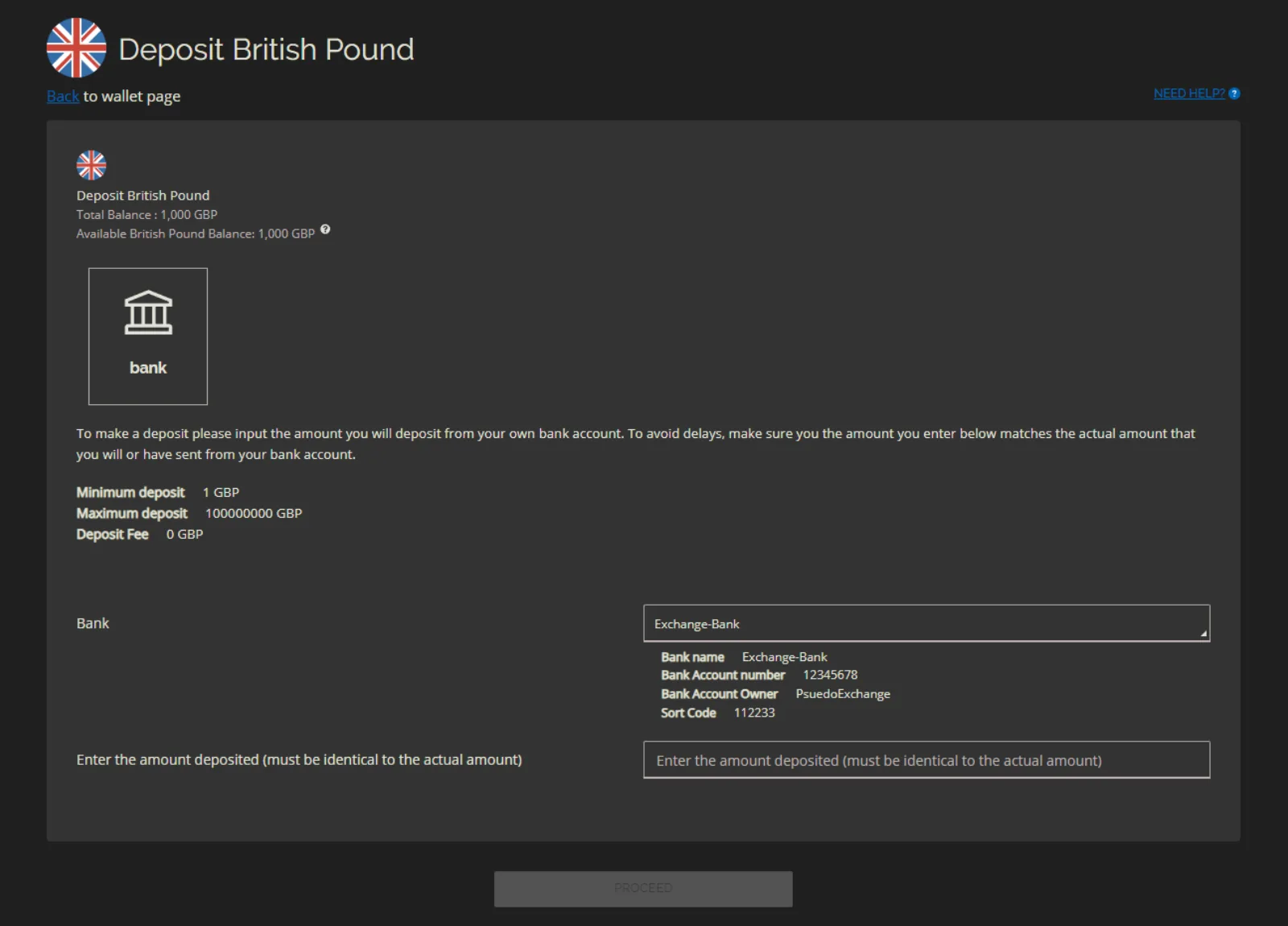
The user enters the amount to deposit. The most important field is the Transaction ID: the reference the user includes with their bank transfer to the account shown.
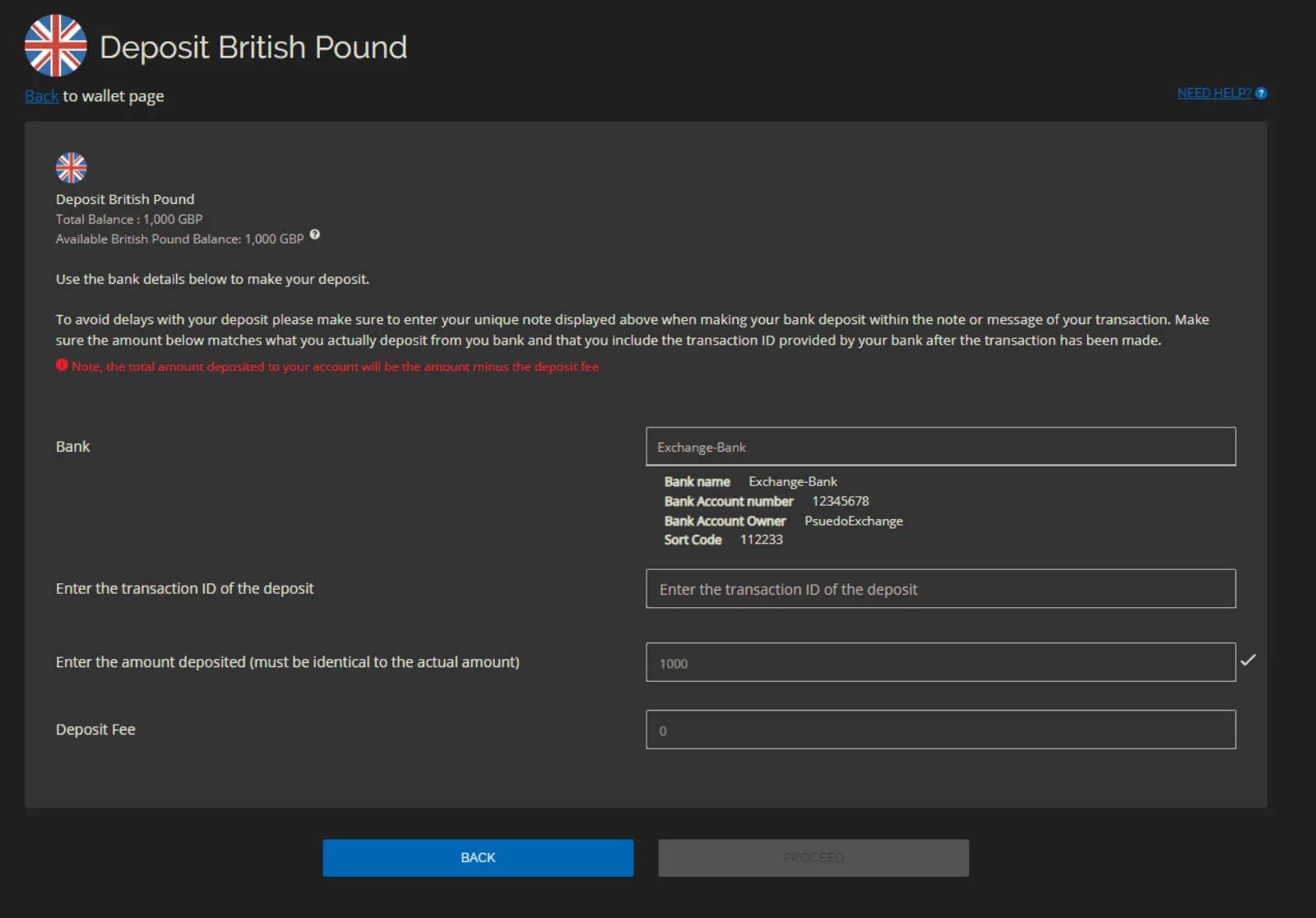
The next screen summarizes the request.
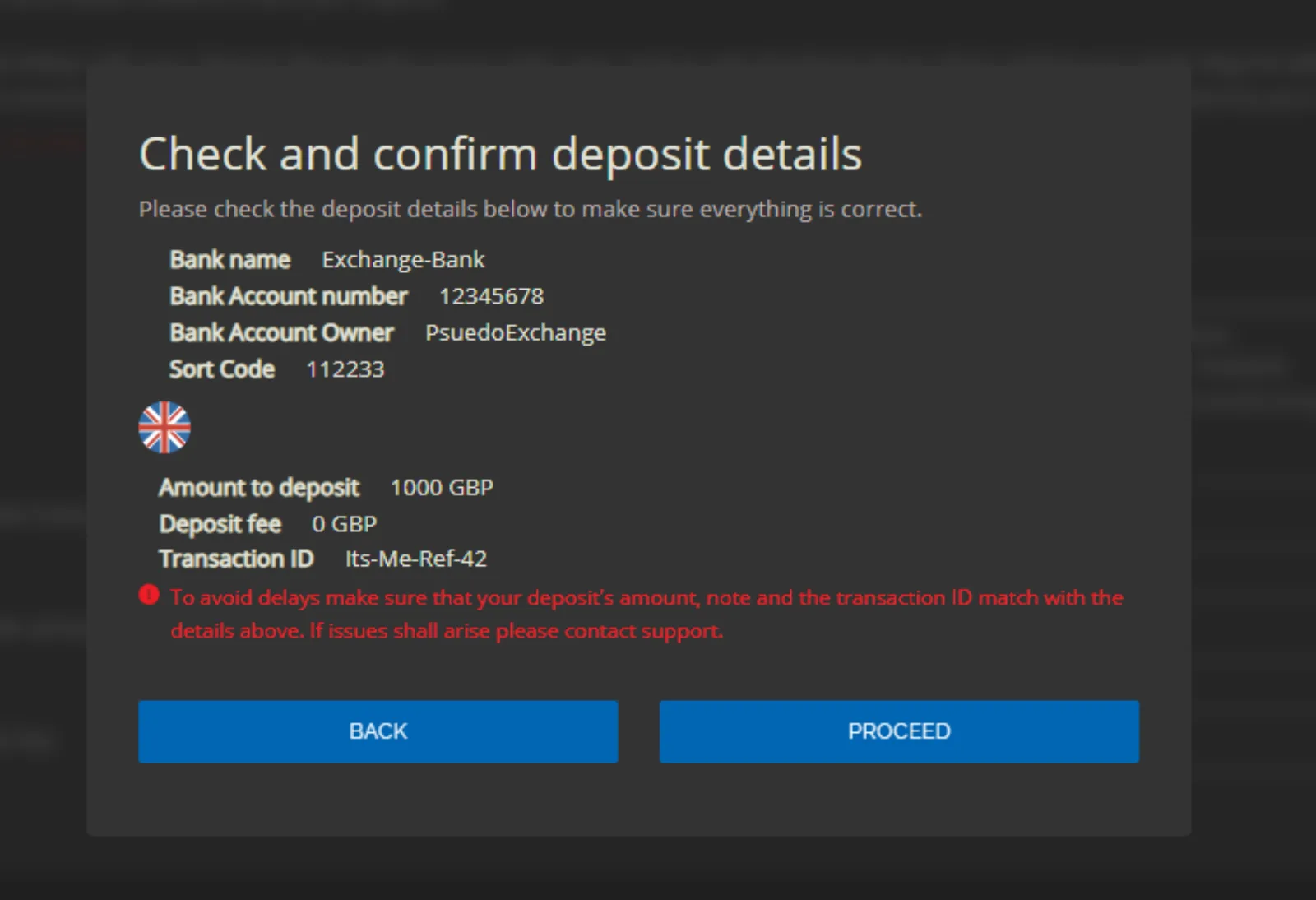
The user now makes the bank transfer outside the exchange, using exactly the details shown, as they would for any other bank transfer.
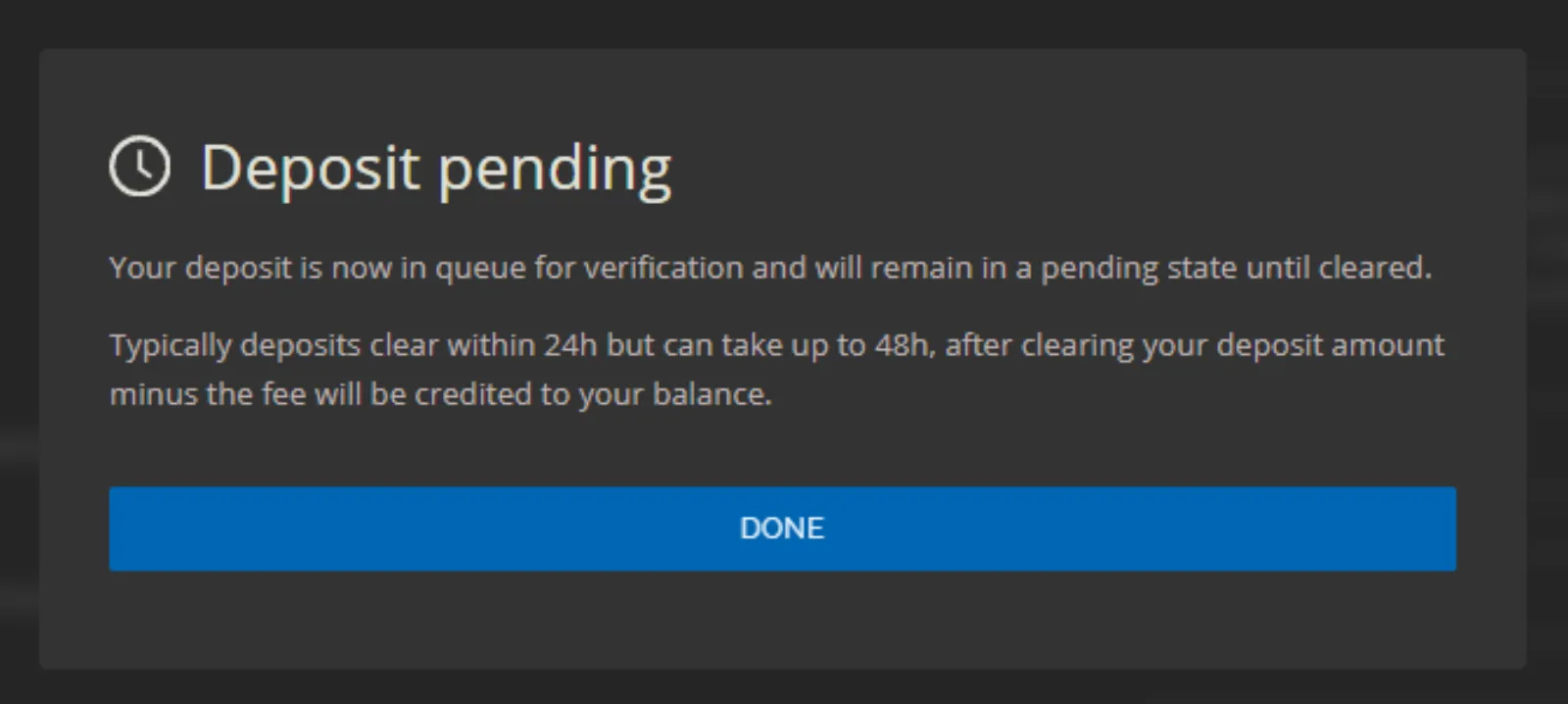
After they click Proceed, they're told the deposit is pending. How long it takes to clear depends on how quickly your team validates it.
The pending deposit also appears in the user's deposit history.
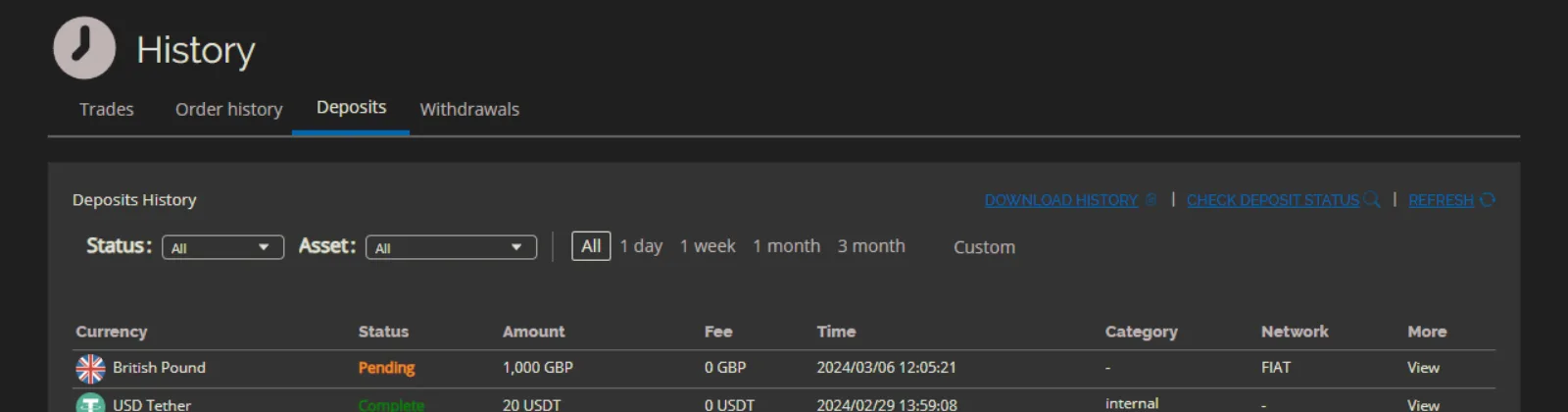
You validate the deposit
- Go to Operator Controls → Exchange → Treasury → Fiat Controls → Summary. The request is listed under Recent Pending Deposits with the user ID, transaction ID, currency and amount. Click View all deposits to see the full list.
- Check your bank account for a transfer with the matching reference and amount.
- If the money has arrived, validate the deposit. You can edit the Transaction ID and add a Description, then click Confirm Validate. The exchange mints the fiat credits, minus your deposit fee, and credits them to the user.
- If the money hasn't arrived or the amount is wrong, dismiss the request with Confirm Dismiss.
The user receives the funds
Once validated, the deposit shows as completed in the user's history.
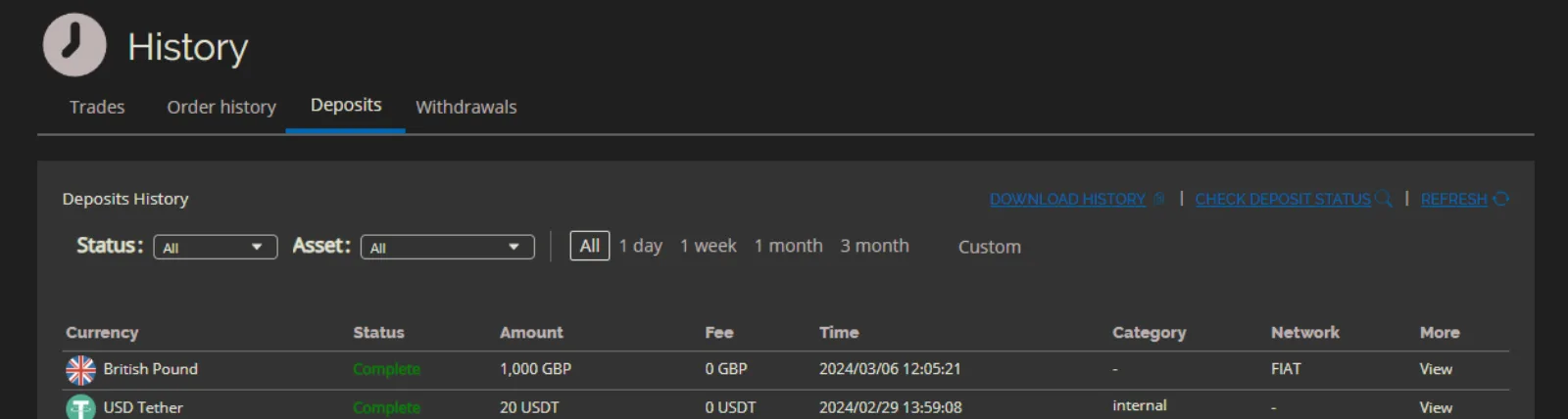
The balance is credited to the user's wallet.
