User Making Fiat Withdrawal
A fiat withdrawal works like a deposit in reverse. This page follows a user withdrawing GBP, and what you do as the operator. The user screens shown are from the HollaEx Kit v2 Web exchange website.
The user requests a withdrawal
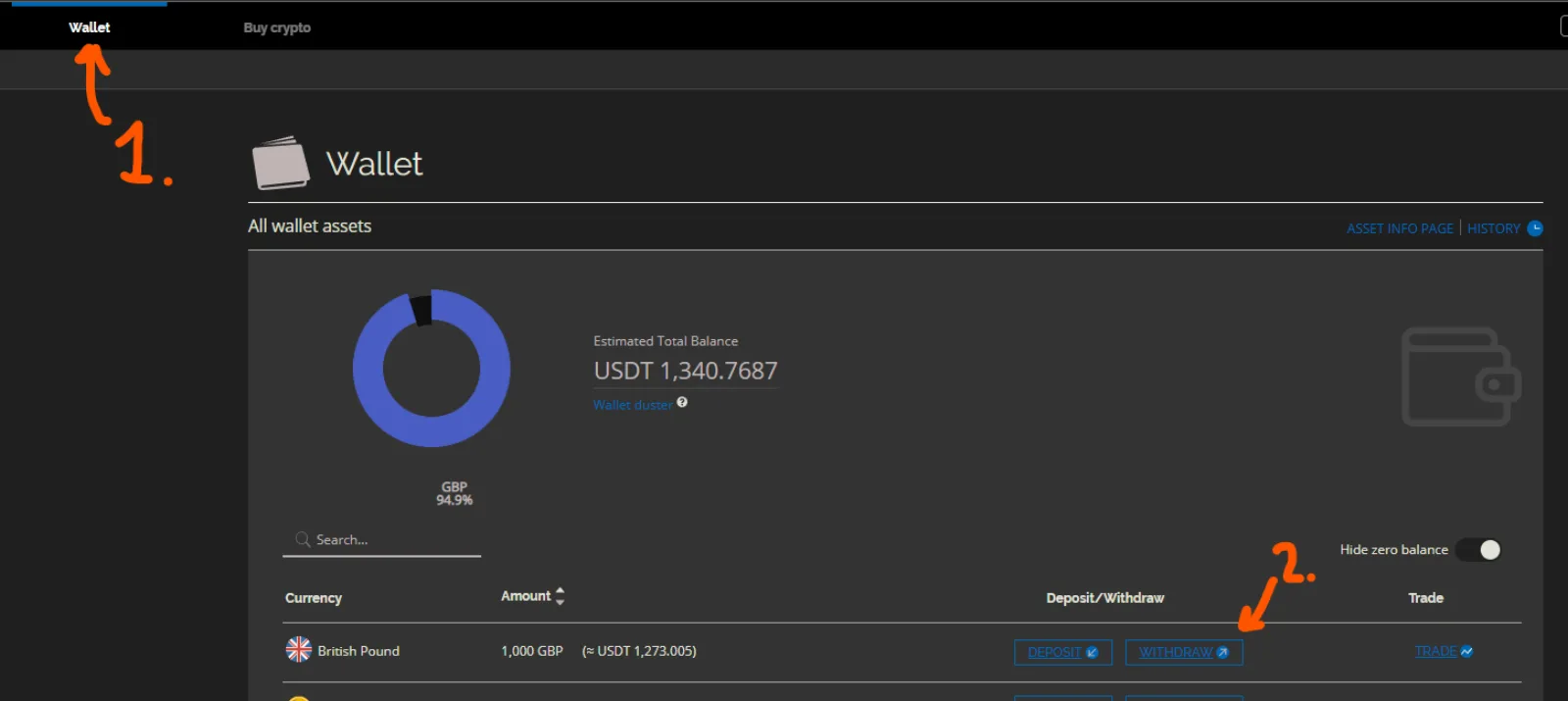
The user opens their wallet and selects Withdraw on the fiat currency.
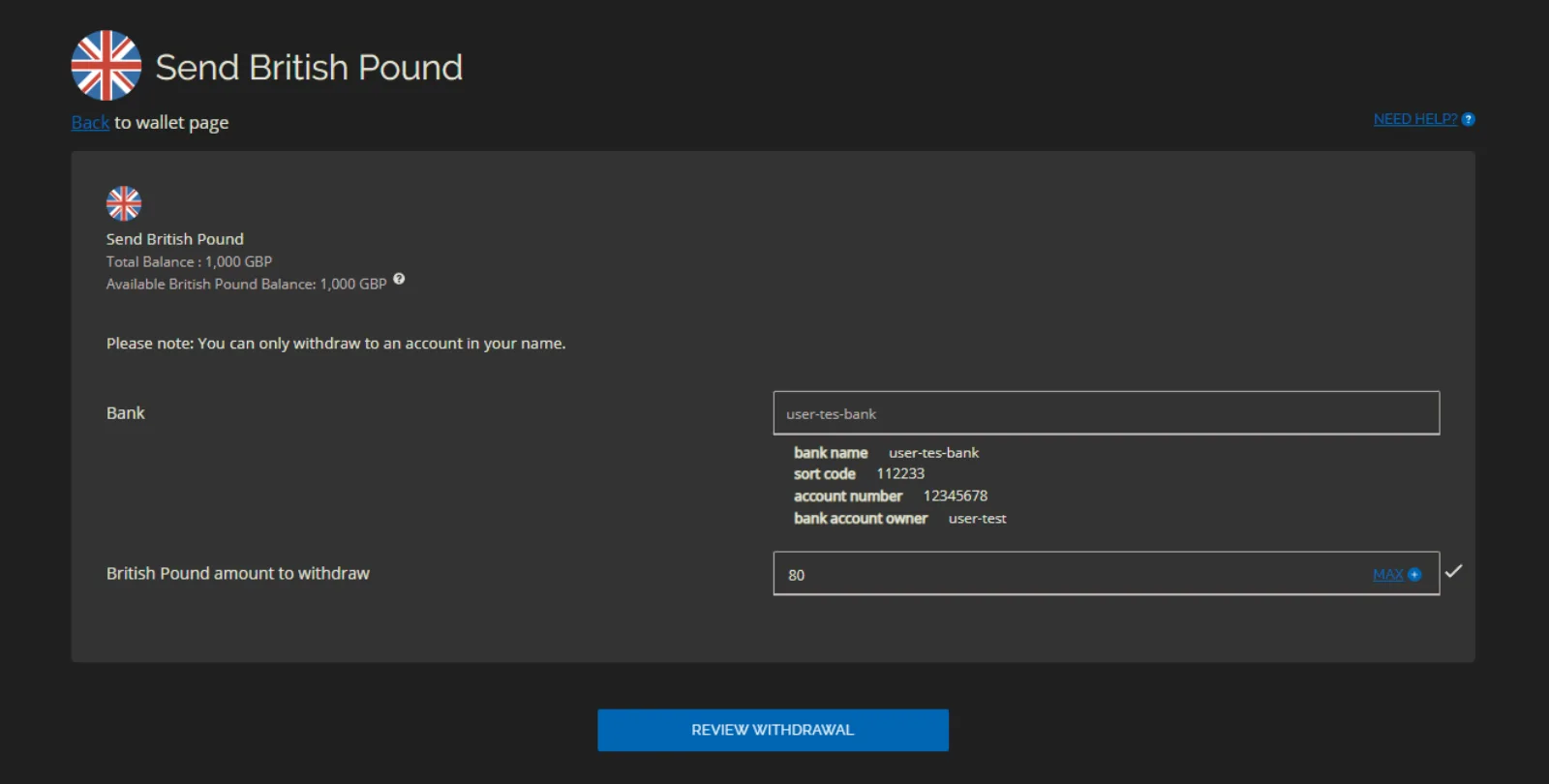
To withdraw, the user needs a verified payment account of a type you accept for that currency (see Initial Setup). If they haven't added one, they're prompted to do so. If they have one account, it's filled in; if they have several, they choose one.
They enter the amount and review the withdrawal.
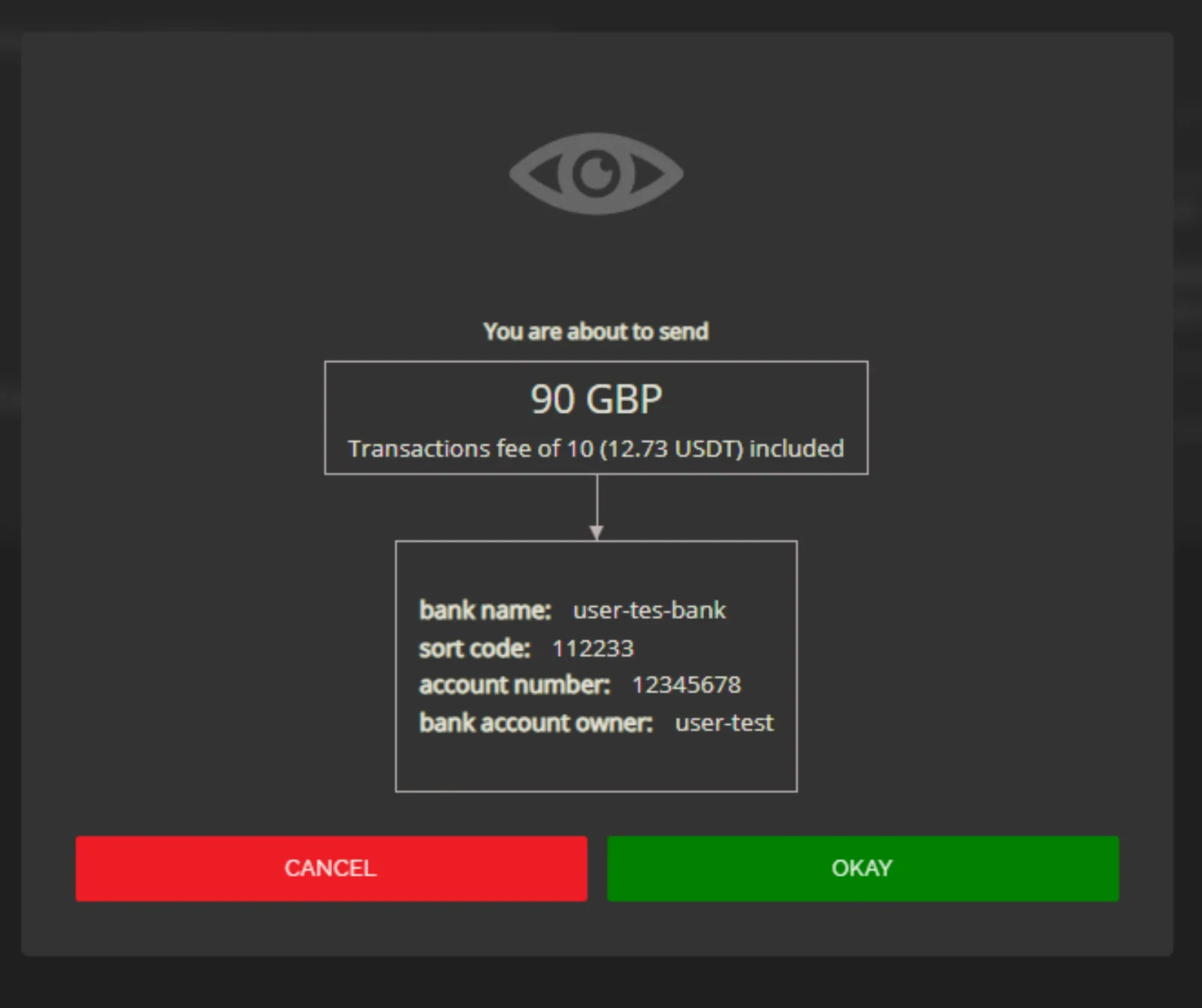
The final screen shows the withdrawal details, the total including your withdrawal fee, and the account that will receive the money.
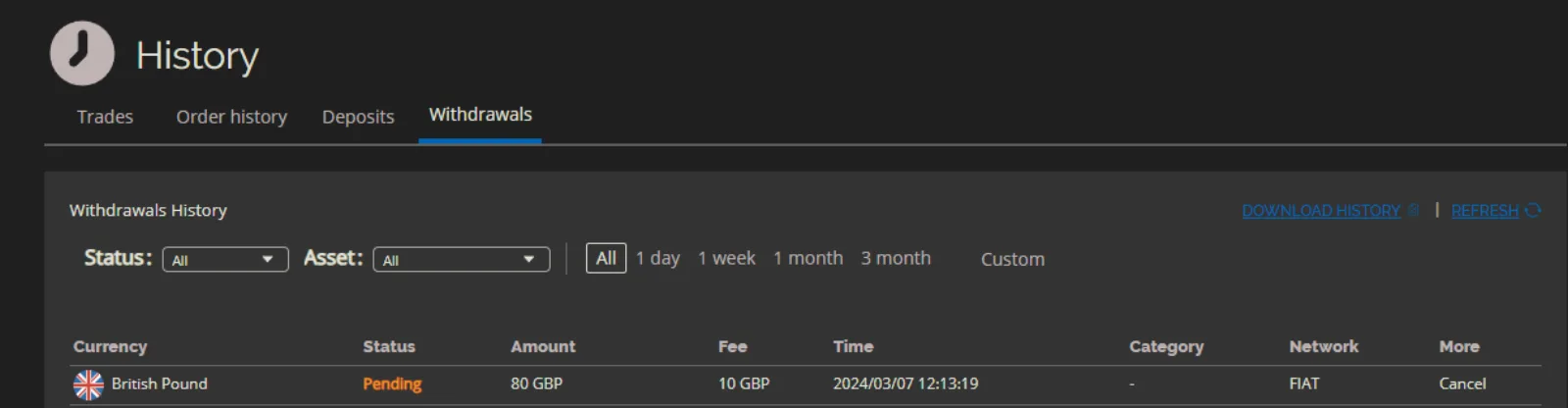
The pending withdrawal then appears in the user's withdrawal history until you process it.
You send the money and validate the withdrawal
- Go to Operator Controls → Exchange → Treasury → Fiat Controls → Summary. The request is listed under Recent Pending Withdrawals. Click View all withdrawals to see the full list.
- Open the request to see the user's payment details.
- Send the money from your exchange's bank account to the user's account, outside the exchange. Make sure the right amount goes to the right account.
- Validate the withdrawal. You can add the Transaction ID of your transfer and a Description, then click Confirm Validate. The user's fiat credits are burned.
If you can't process the withdrawal, dismiss it with Confirm Dismiss.
The withdrawal completes
Once validated, the withdrawal shows as completed in the user's history.
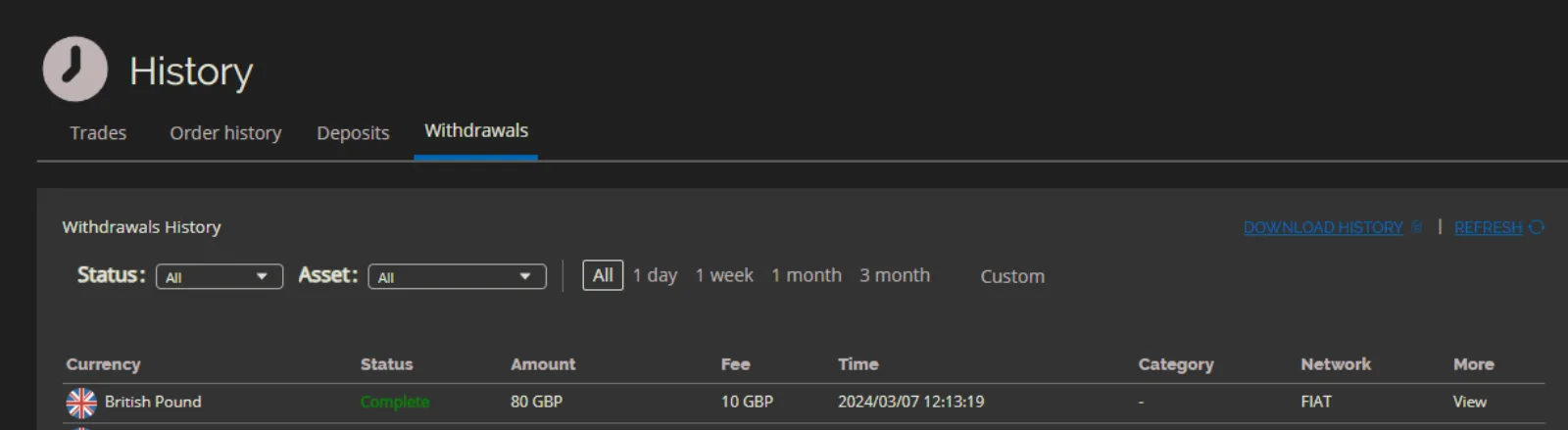
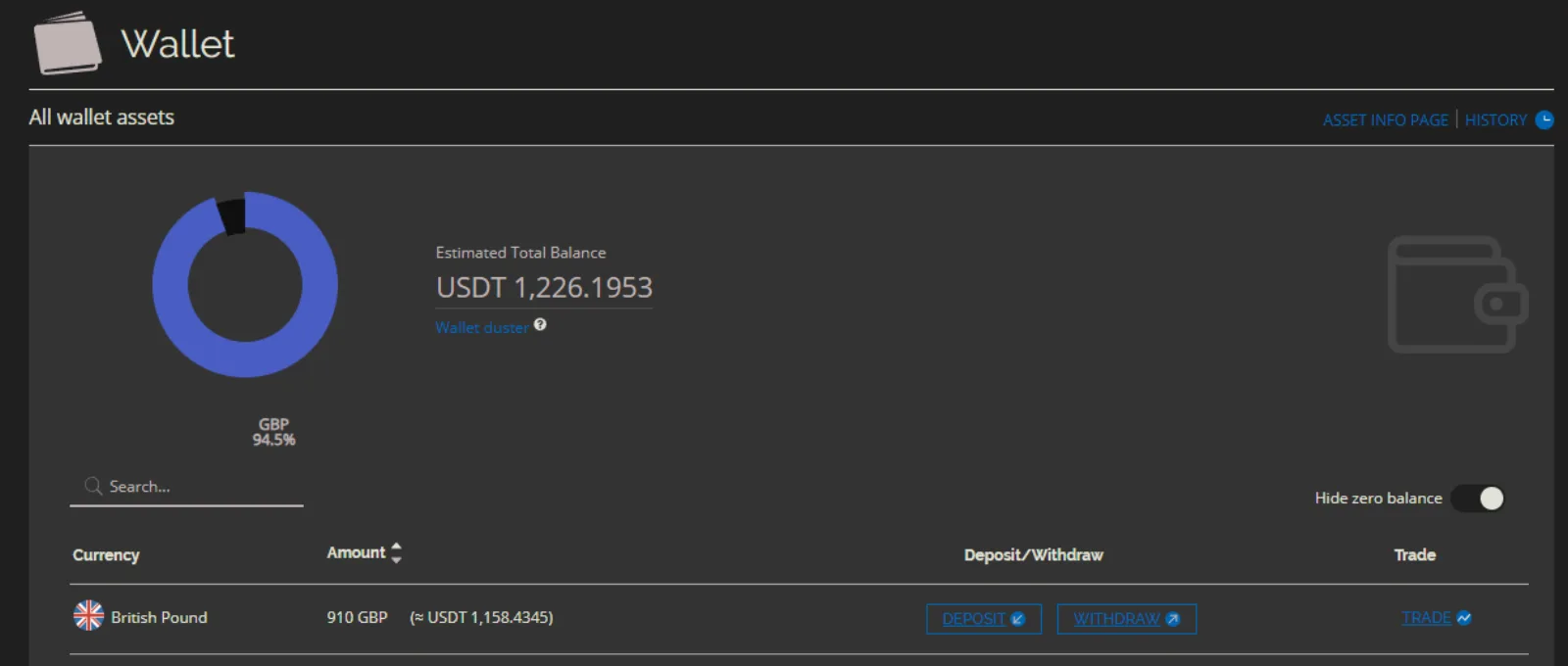
The user's balance is reduced by the amount plus the fee (in this example, from 1,000 GBP to 910 GBP).